
Warning, August 2026. Since this tutorial was published, a seed generation defect has been found in the Coldcard firmware, starting with version 4.0.1. Before anything else, read our analysis of the flaw: it tells you exactly which devices, which firmware versions and which setups are at risk, and which ones are not. Every Edge build named in this tutorial (6.4.0X, 6.4.1QX and 6.5.0X) is on the vulnerable side, and a seed generated on one of them has to be treated as public.
This setup is hit harder than most, because SSSP is enforced by the device, not by the seed and not by the script. Whoever recomputes the mnemonic of your refresh-only key loads it on another Coldcard and signs whatever they want, whitelist or not. In the 2-of-3 example below, that single key opens the 1-of-3 recovery path on its own once the one-year timelock has matured, and it brings the primary path down to one remaining signature. Not backing up that mnemonic protects nothing, since an attacker recomputes it instead of reading it off your backup.
So before following this tutorial, update the device to a fixed Edge build: 6.6.0X or later on the Mk4 and the Mk5, 6.6.0QX or later on the Q. Both came out on 31 July 2026. Then generate the seed of your SSSP key on that build. A seed produced from 50 or more fair and independent dice rolls stays safe even on a vulnerable firmware, so you can keep that one. In any other case, and at the slightest doubt about how your Coldcard seed was created, move the funds and rebuild the setup from scratch.
If you use a Liana wallet, you know the requirement that comes with using timelocks on recovery paths: you should refresh them before they expire. Until now, that refresh required a key that was also able to spend, so the right to refresh your timelocks and the right to move funds out of the wallet were inseparable. The Coldcard’s Single Signer Spending Policy (SSSP) now lets you separate them.
With a properly configured Coldcard, you can refresh your Liana timelocks from home, while being physically unable to send a single sat to any address that isn’t part of your wallet from that location. In this article, I’ll explain how this decoupling works, the kind of security strategy it makes possible, and then show you exactly how to do it.
How refreshing a timelock works
If you don’t know it yet, Liana is Bitcoin wallet management software that leverages Miniscript to set up custom security strategies, notably with timelocks. A Liana wallet has a primary spending path, always available, and one or more recovery paths that only become accessible after a chosen period of inactivity. The recovery path is your fallback: if you lose your main key, or if you disappear, the recovery key can take over once the timelock has matured.
The timelock starts the moment each coin is received. To make sure the recovery path never opens during your normal life, you therefore regularly refresh these timelocks. This means making a transaction that sends your coins back to yourself, which resets the timelock counter on each of them. For example, if your recovery path has a one-year timelock, you would perform this refresh transaction every 10 months, say, to make sure the recovery path is never accessible. This is what the Liana interface calls a “Refresh”, and it’s a small, inexpensive bit of upkeep in exchange for a self-custodial recovery mechanism, guaranteed by Bitcoin itself, at the script level.
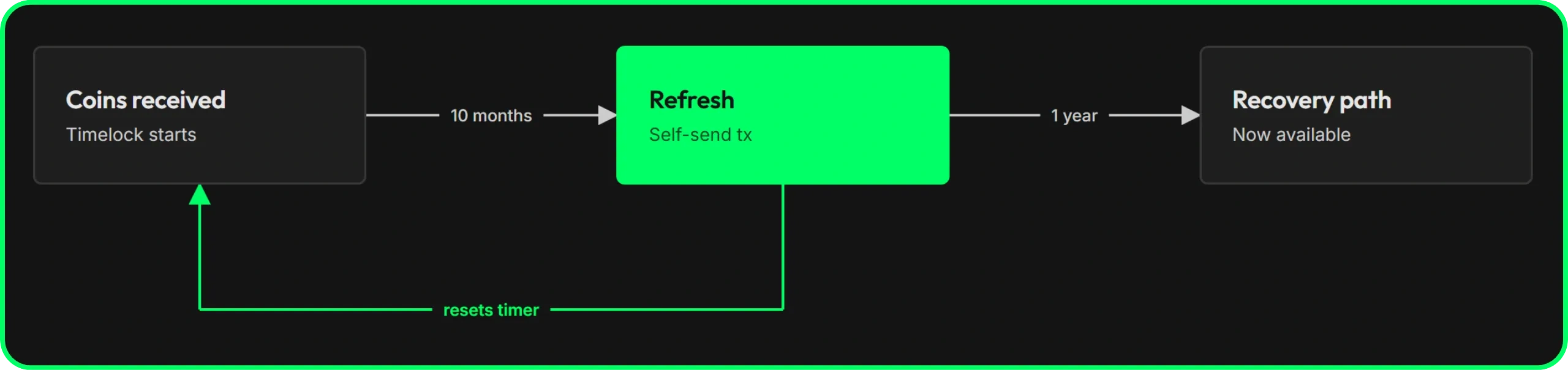
But as we just saw, a timelock refresh is a Bitcoin transaction, and a Bitcoin transaction requires a signature. So the signing device that lets you keep the wallet on the primary path and prevent the recovery path from activating is the same one that lets you empty the wallet by sending the funds to an external address. The right to refresh and the right to spend were one and the same.
What is the SSSP option on Coldcard?
SSSP is a mode you enable inside a Coldcard. Once enabled, two things happen on the device:
- First, most menus are locked. The recovery phrase, the backups, the firmware updates and the entire settings menu disappear. Someone holding the device, even with your main PIN, can neither extract the seed nor change the Coldcard’s behavior. The only way back to the full menus is through a separate PIN, the “Policy Unlock PIN”, which can, however, be disabled.
- Second, a Spending Policy of your choosing is enforced on every signature the device produces. This policy is a set of rules you have defined in advance, and the Coldcard refuses to sign any transaction that breaks one of them.
The Spending Policy includes 4 settings to choose from:
- “Magnitude Limits”, which caps the amount that can go out in a single transaction.
- “Velocity Limits”, which imposes a minimum number of blocks between two spends.
- “Whitelisted Addresses”, which restricts destinations to a list of approved addresses entered in advance.
- “2FA Authentication”, which requires a code from a mobile authenticator app before each signature.
Liana + SSSP = refresh-only key
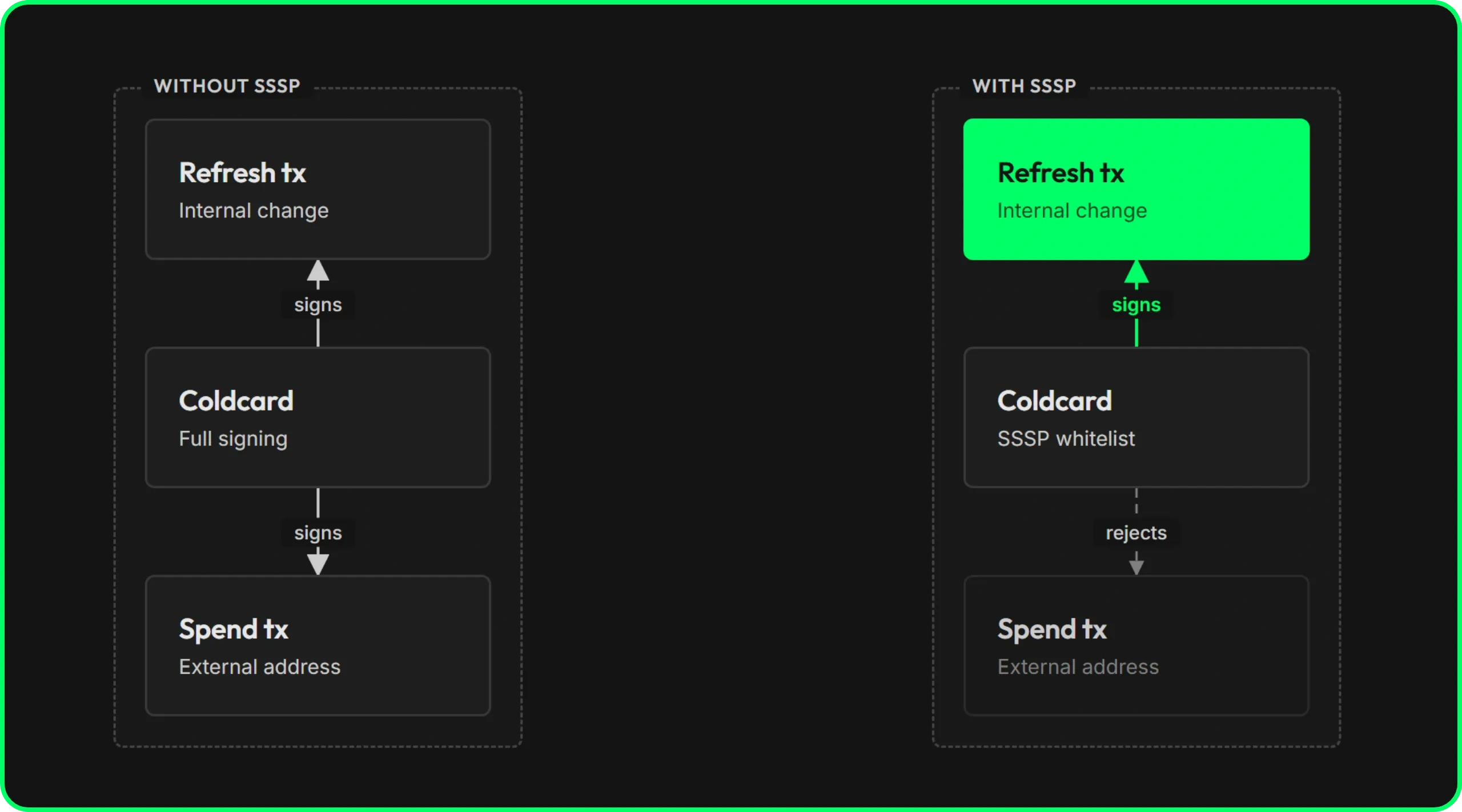
What interests us here is the address whitelisting Spending Policy. It has one important quirk: it is only enforced on external addresses. Internal addresses, even when absent from the whitelist, are not blocked by this policy. And that is precisely where the hack lies.
Let’s take a closer look at what a timelock refresh transaction really is. You take your coins and send them back to your own wallet. Every output of a refresh goes to an address that belongs to you, on the change branch of your own wallet. So if your whitelist on the Coldcard contains no real external address, the device will sign a transaction that sends everything back to yourself, and will refuse any transaction that tries to send even a single sat to someone else.
That’s the whole trick. A whitelist with no external destination turns the Coldcard into a device capable of only one thing: sending your coins back to yourself. In other words, it can refresh your timelocks, and nothing more. The right to refresh your Liana timelocks has been detached from the right to spend, and this opens the door to entirely new strategies for securing your bitcoins…
What this lets you build
This decoupling makes a new security model possible for your bitcoin savings. The idea is fairly simple: from home, you keep the ability to refresh your timelocks as often as needed, but you lose the ability to spend externally.
Until now, a timelocked wallet forced you to choose between convenience and security. Keep your spend-capable keys at home, and refreshing timelocks is trivial, without leaving your living room. But those same keys can also empty the wallet, which means a $5 wrench attack at home could directly result in the theft of your funds.
Move your spending keys offsite instead, geographically distributed, and the trade-off flips. Nothing at home can spend your coins, so there’s nothing to give up under duress, but every timelock refresh now forces you to travel or coordinate across several locations, just to sign a transaction that sends your own coins back to you.
SSSP + Liana breaks this trade-off. You can now geographically distribute your spending keys and still refresh your timelocks on your own, from home, without ever exposing any spending capability at home. In other words, this new kind of strategy helps democratize and simplify the geo-distribution of the signing devices that give access to your funds.
Geo-distribution is one of the best security practices, because it mitigates many risks: a burglary or a robbery only affects one location at a time, and so can never gather enough keys to move your funds. A real spend requires mobilizing at least one remote key, which raises a physical barrier that no one can cross from your living room.
Be careful however: geo-distribution does indeed prevent the theft of funds from a single location, but it does not protect you, as the owner of the funds, against a $5 wrench attack for example. There is moreover no technical solution to this problem. Making funds inaccessible from your home may eventually deter attackers, but it can also represent a risk to your physical safety, as an attacker who doesn’t believe you might simply escalate. Therefore consider this configuration as a protection of your sats against theft, never as personal protection under duress, and plan for your personal security on top of it (duress wallet, home defense, alert system…).
This model is obviously aimed at a long-term cold wallet, savings you rarely spend. Spending is deliberately cumbersome, since it requires accessing the remote location. But with the SSSP option on Coldcard, refreshing a timelock is done easily, without leaving home. No more taking a plane to sign a refresh transaction!
The setup we are going to build
Let’s now look at how to set all this up with a simple configuration for an individual holder, based on a 2-of-3 primary path, with 3 signing devices (all hardware wallets in this case):
- Key A: a Jade Plus, a regular signer.
- Key B: a Ledger Flex, a regular signer.
- Key C: a Coldcard Mk5 in SSSP mode.
The primary path requires 2 of these 3 keys to unlock the funds.
The goal here is to protect the funds against physical theft. So we are going to geographically distribute the signing devices. Key A (Jade Plus) and key C (Coldcard in SSSP) stay with you, at your home. Key B (Ledger Flex) will be placed in a different location, ideally in another country to benefit from geo-distribution.
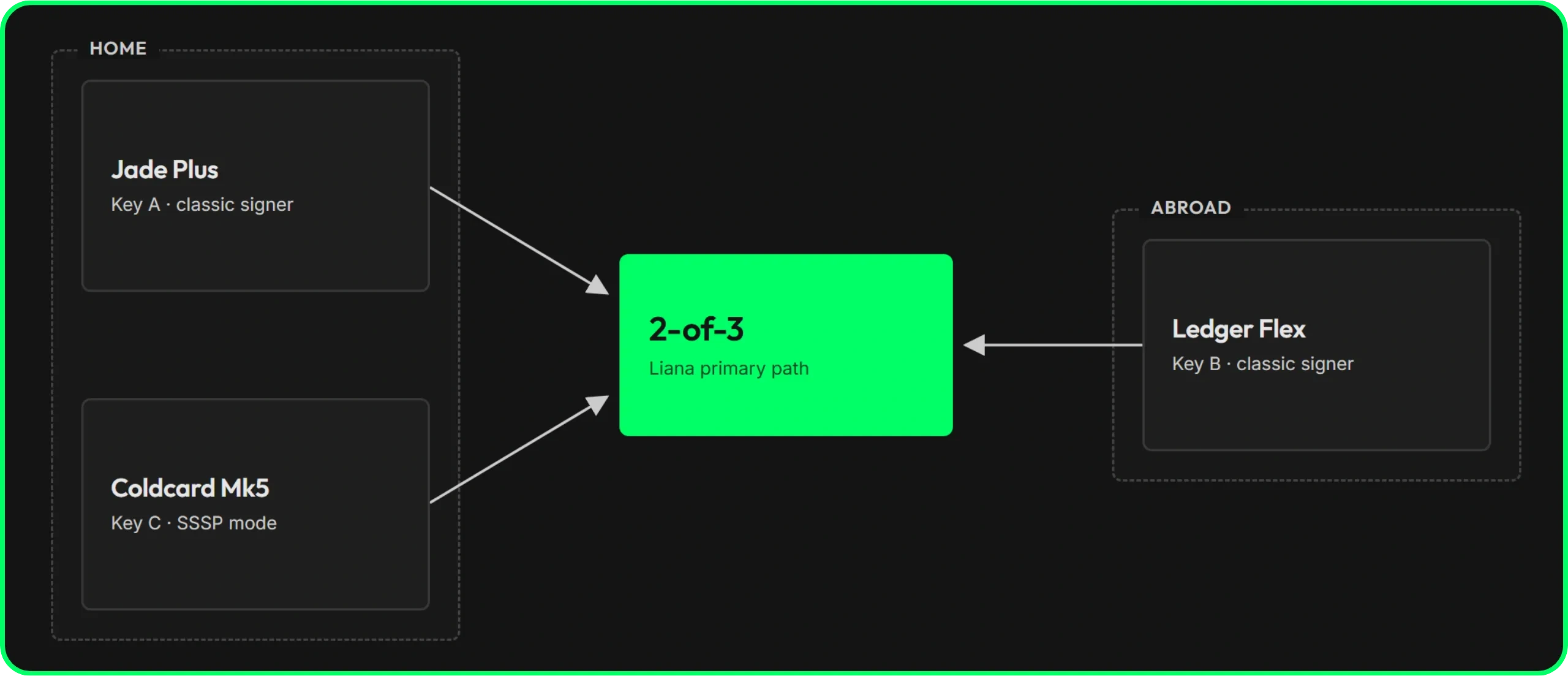
To limit the risk of losing your coins, we are going to set up a recovery path in Liana, which opens after a one-year timelock and which, to satisfy the script, requires a single signature, 1 of the 3 keys.
Let’s review what each combination allows:
-
At home, you hold A and C, that is 2 keys, which is enough to satisfy the 2-of-3 primary path. But C is the Coldcard in SSSP mode with an empty whitelist: it will therefore not co-sign any transaction sending funds to an address external to the wallet, and only works for a timelock refresh. The pair at home can thus refresh the timelocks as often as you like, but can never move bitcoins out of the wallet (except via transaction fees, as we saw earlier).
-
A real outbound spend, as far as the script is concerned, requires A+B, B+C or A+C, but in reality, C enforces a policy that makes it refuse to sign any outbound transaction. It is technically capable of signing one, but the policy it runs will not let it. For spending transactions, your wallet is therefore effectively a 2-of-2: both A and B are required to sign. Since B is in a geographically distributed location, you can never sign an outbound transaction from home, even under duress (provided, of course, that your timelocks have not expired!). Remember that this protects your coins against theft, not you as a person against a physical attack, as noted earlier.
-
The recovery path is 1-of-3 after the timelock. So if your home is destroyed and you lose A and C, key B abroad can recover everything on its own once the timelock has matured. If you lose key B, key A at home can recover on its own. You don’t lose your funds just because one of the two locations had a problem.
Important point: Key C in SSSP mode is restricted on all paths, including the recovery one. So even after the recovery timelock opens, key C alone can still only refresh, never spend to the outside. Here, this is not an issue, since key A or key B alone is enough to recover. Just keep it in mind: the SSSP restriction is specific to the device itself, it is not tied to any particular spending path.
For managing the recovery phrases of your various devices, you should obviously not back up the phrase of the SSSP key (in this example, key C, the Coldcard in SSSP mode), otherwise SSSP mode is pointless. After all, it constrains the device itself, not the mnemonic. The recovery phrase, if imported onto a new device, can sign transactions with outputs to external addresses without any constraint. As a reminder, SSSP only works on your Coldcard: nothing is enforced at the wallet level, let alone at the script level that locks your funds.
For the recovery phrases of your devices A and B in this example, that is, the ones that can actually sign, it depends on your own security strategy. You should, however, not keep the backup of signer B at your home if it is geo-distributed, because otherwise geo-distribution is pointless.
Before you start
A few conditions must be met before you start. First, you need a Coldcard on a firmware that supports both Miniscript and SSSP. Miniscript arrived in the Coldcard EDGE firmware starting with version 6.2.1X, but combining it with SSSP requires a more recent firmware: at minimum version 6.4.0X on the Mk4, and version 6.4.1QX on the Q (both released in November 2025). In this tutorial I use version 6.5.0X. It is possible, however, that by the time you read this tutorial, a stable firmware supporting these features may already exist. In any case, when registering your Coldcard in Liana, you’ll see an error message that blocks the process if your firmware does not support Miniscript.
To update your firmware, head to the official Coldcard website. You can also find a detailed tutorial to update your firmware here.
You must also have already created your wallets and backed up your mnemonic phrases on a physical medium (except for the SSSP Coldcard) for all the signing devices before starting the configuration in Liana.
Step 1. Create the wallet on Liana
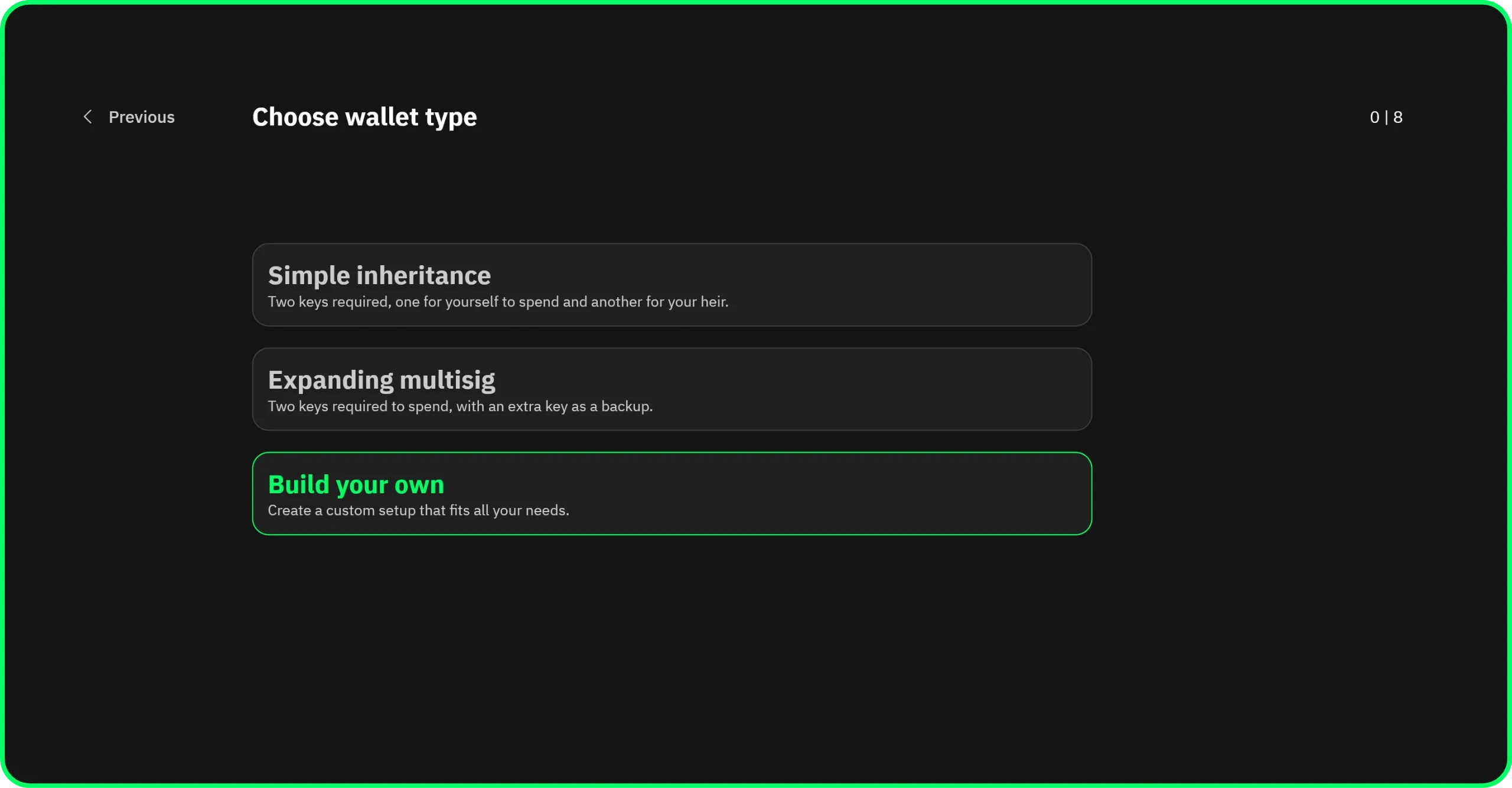
Open Liana, choose to create a new wallet, and select the Build your own template.
Step 2. Set the primary path
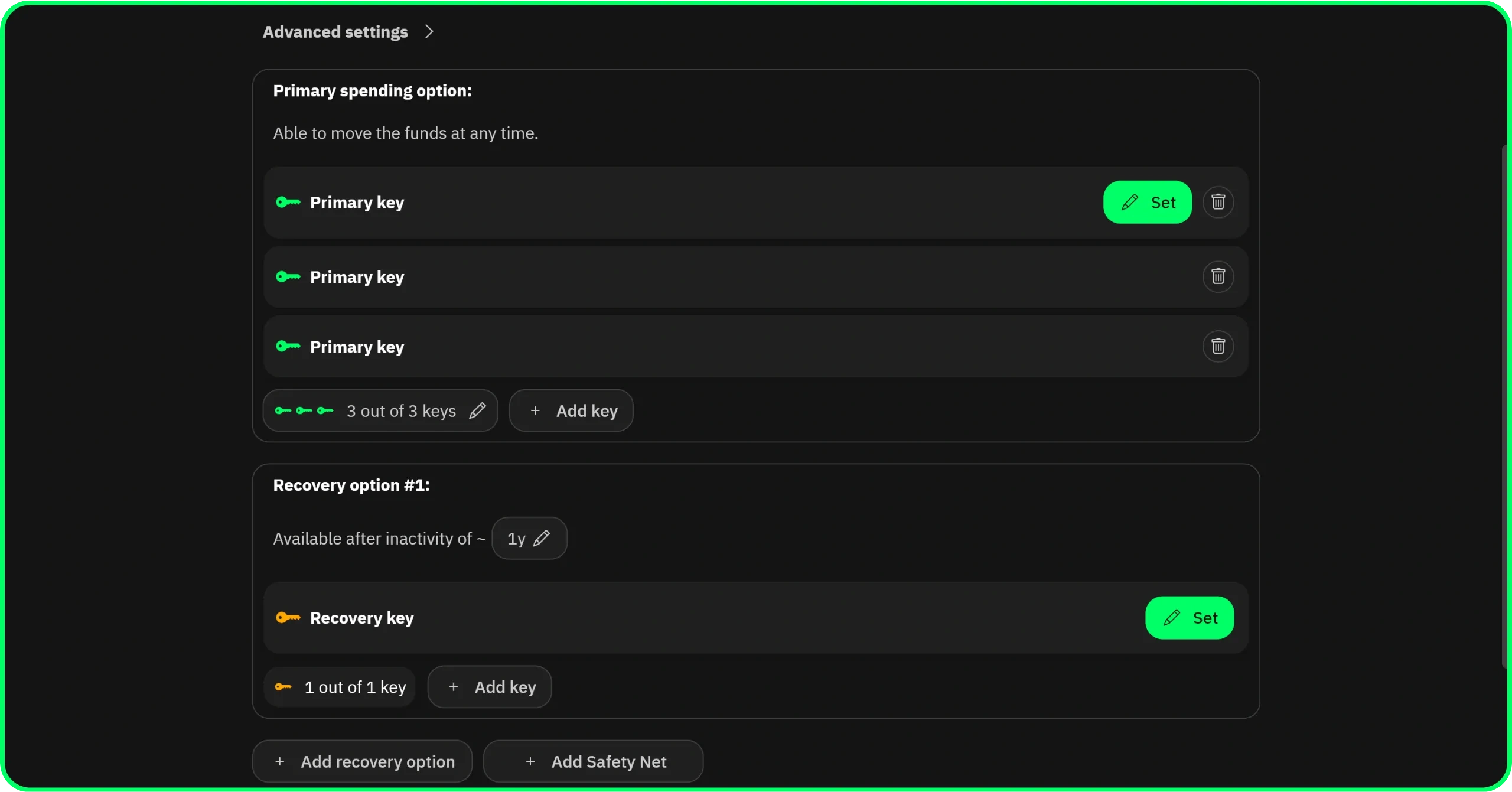
Configure the primary spending path as a 2-of-3 multisig with your 3 keys. To do so, click the Add key button twice.
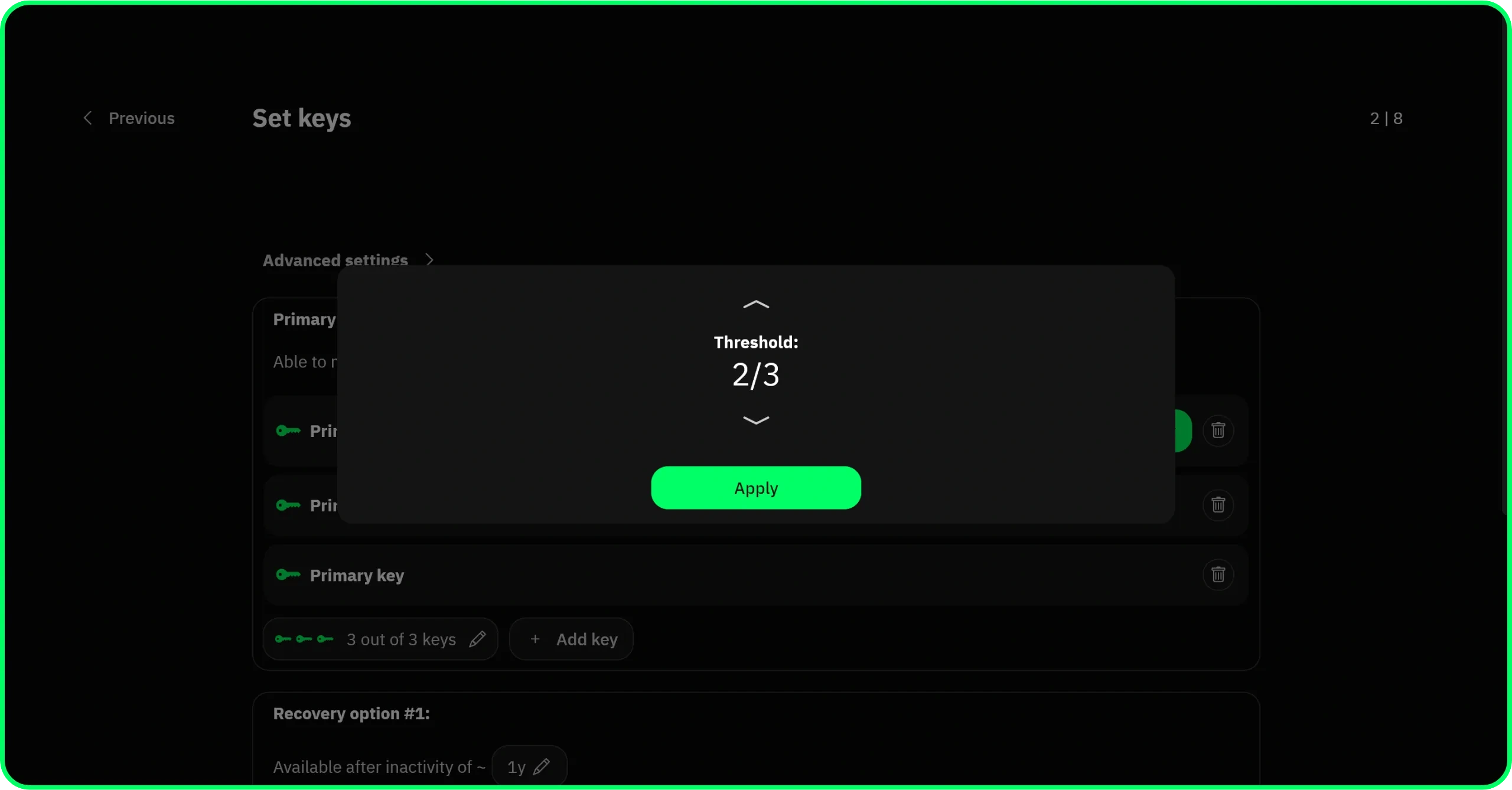
Then click the 3 out of 3 button to switch it to a 2-of-3 threshold multisig:
Then click the Set button of each key to configure them. In this example I use a Jade Plus, a Ledger Flex and an Mk5:
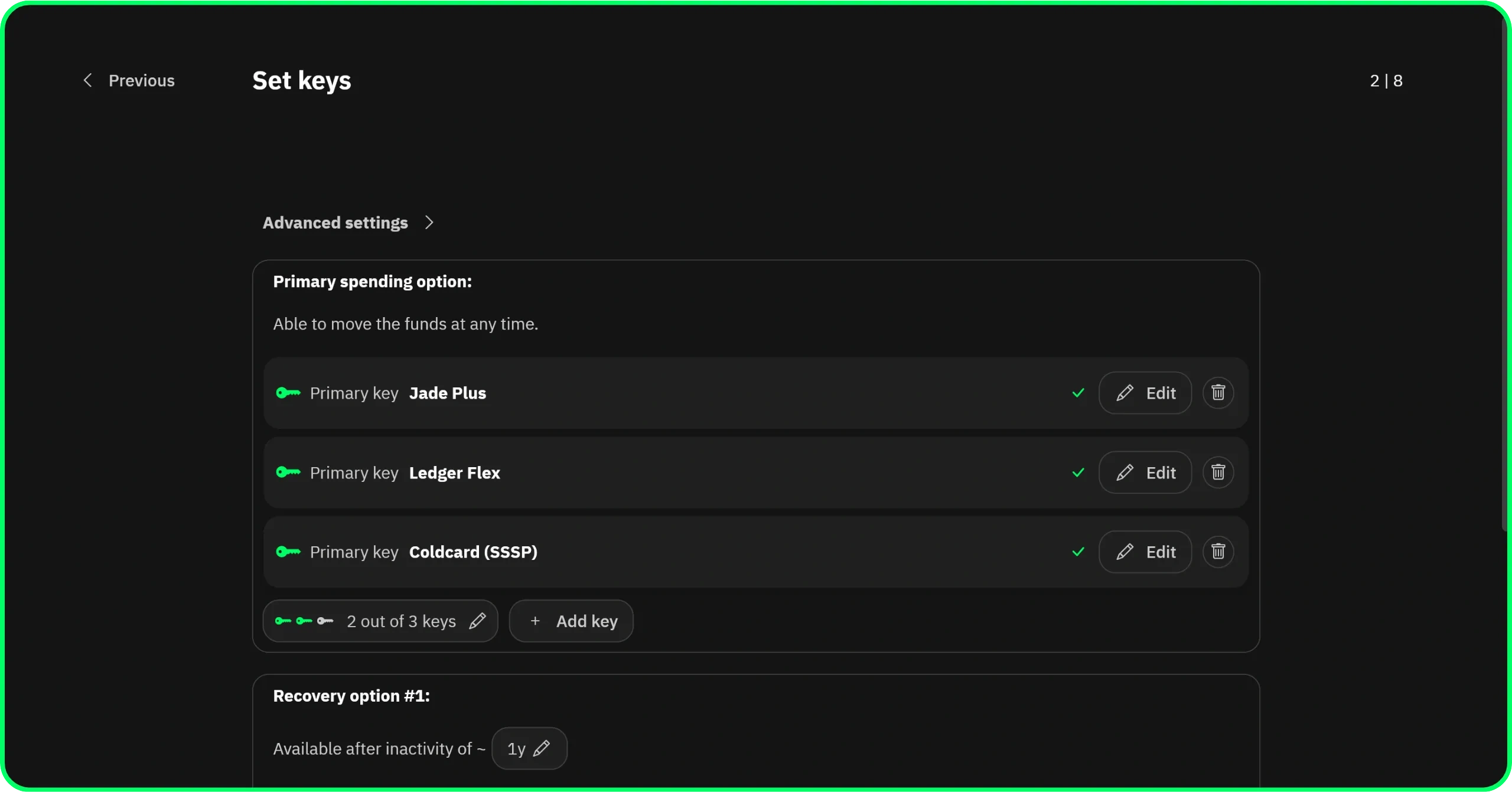
The primary path is now ready, let’s move on to the recovery path!
Step 3. Set the recovery path
Add a recovery path that becomes available after the timelock of your choice and that requires 1 of the 3 keys. The timelock is measured in Bitcoin blocks, about 10 minutes each, up to roughly 15 months (65,535 blocks). Here I chose one year.
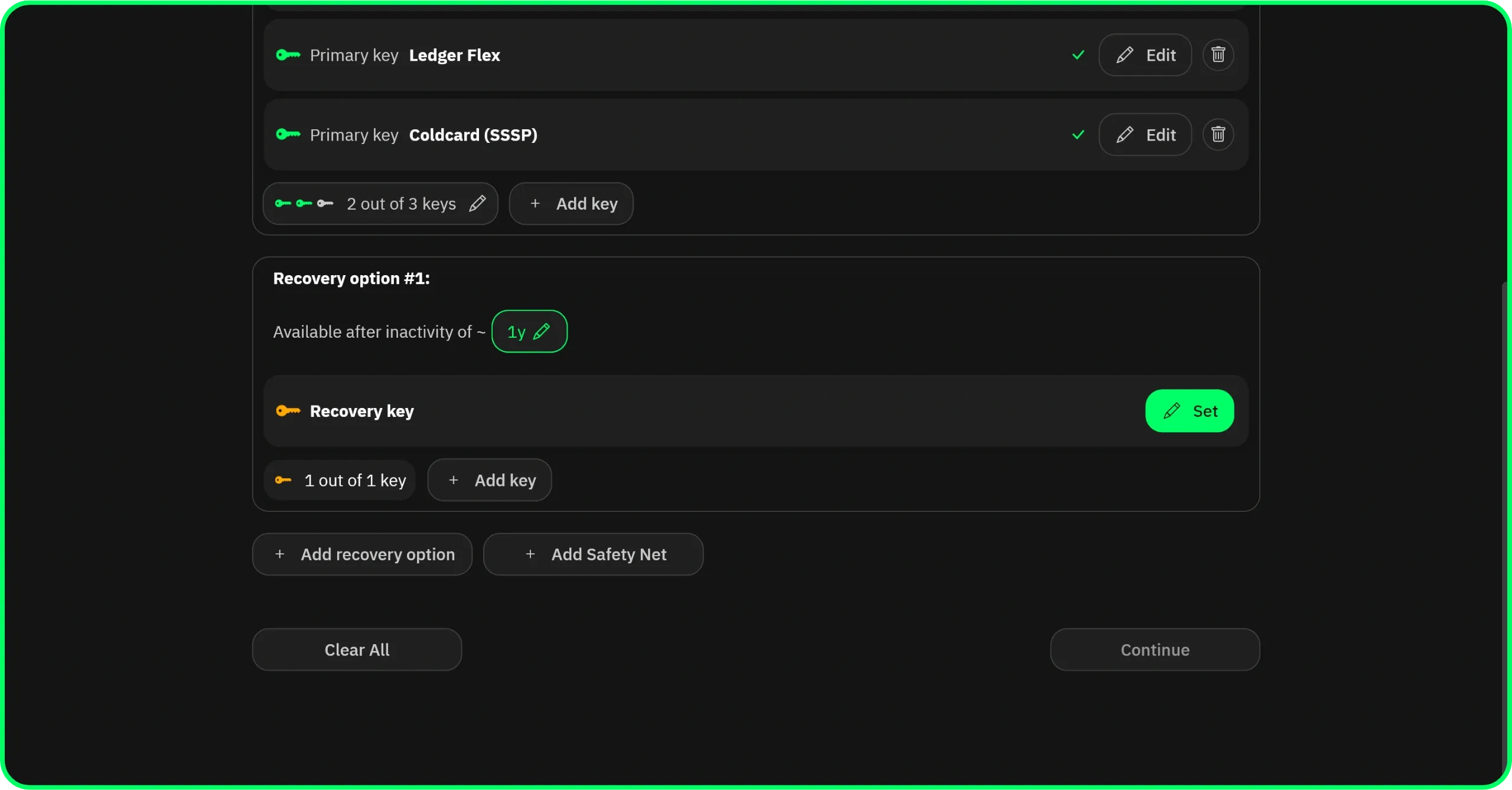
Choose a duration that comfortably exceeds your timelock refresh cadence.
In the same way as for the primary path, use the two Add key buttons and the threshold button to set up the threshold of your choice. Here in my setup I wanted a 1-of-3 that lets me recover the funds with only key A (Jade) or key B (Ledger).
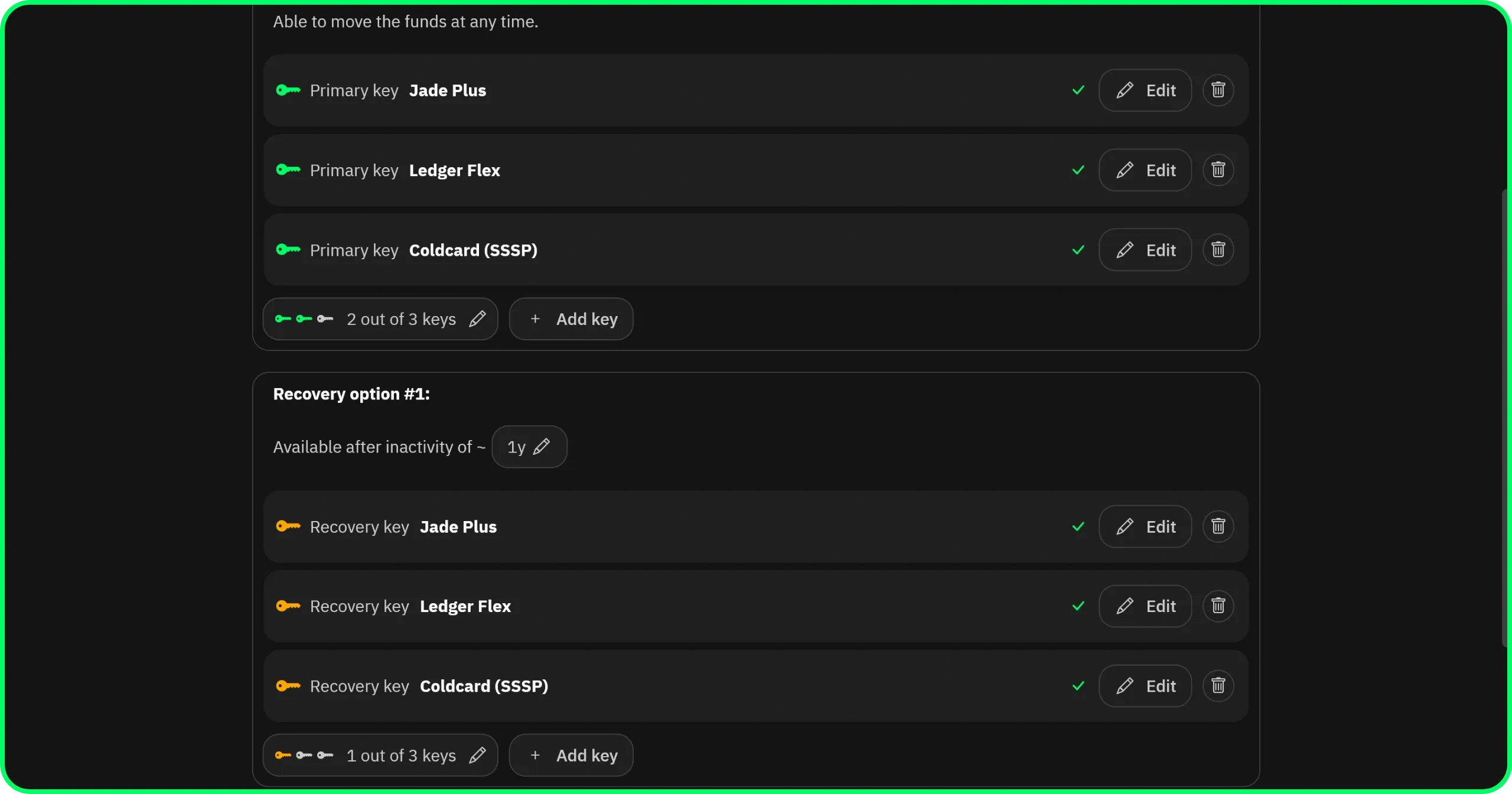
You might wonder why a 1-of-3 and not a 1-of-2 with just the Jade and the Ledger. Since the Coldcard policy refuses to spend funds to an external address, even on the recovery path, a 1-of-2 would behave exactly the same. I kept the 1-of-3 purely for simplicity and clarity.
The configuration of your wallet’s policy in Liana is now complete. You can click the Continue button.
Step 4. Register the descriptor on the 3 devices
Once the policy is confirmed, Liana generates the wallet descriptor, a string of text that encodes all the policies. Back it up: it will be essential if you ever need to recover your wallet from the recovery phrases. Unlike the latter, the descriptor does not give access to the funds and therefore does not represent a risk to the security of your sats. It does, however, represent a risk to your privacy, because anyone holding it can track your transactions on the blockchain.
Then register the descriptor on each of the 3 signing devices, including the Coldcard. This is the enrollment step, and on the Coldcard, it must take place before the SSSP whitelisting is active. Check and confirm the wallet on the screen of each device.
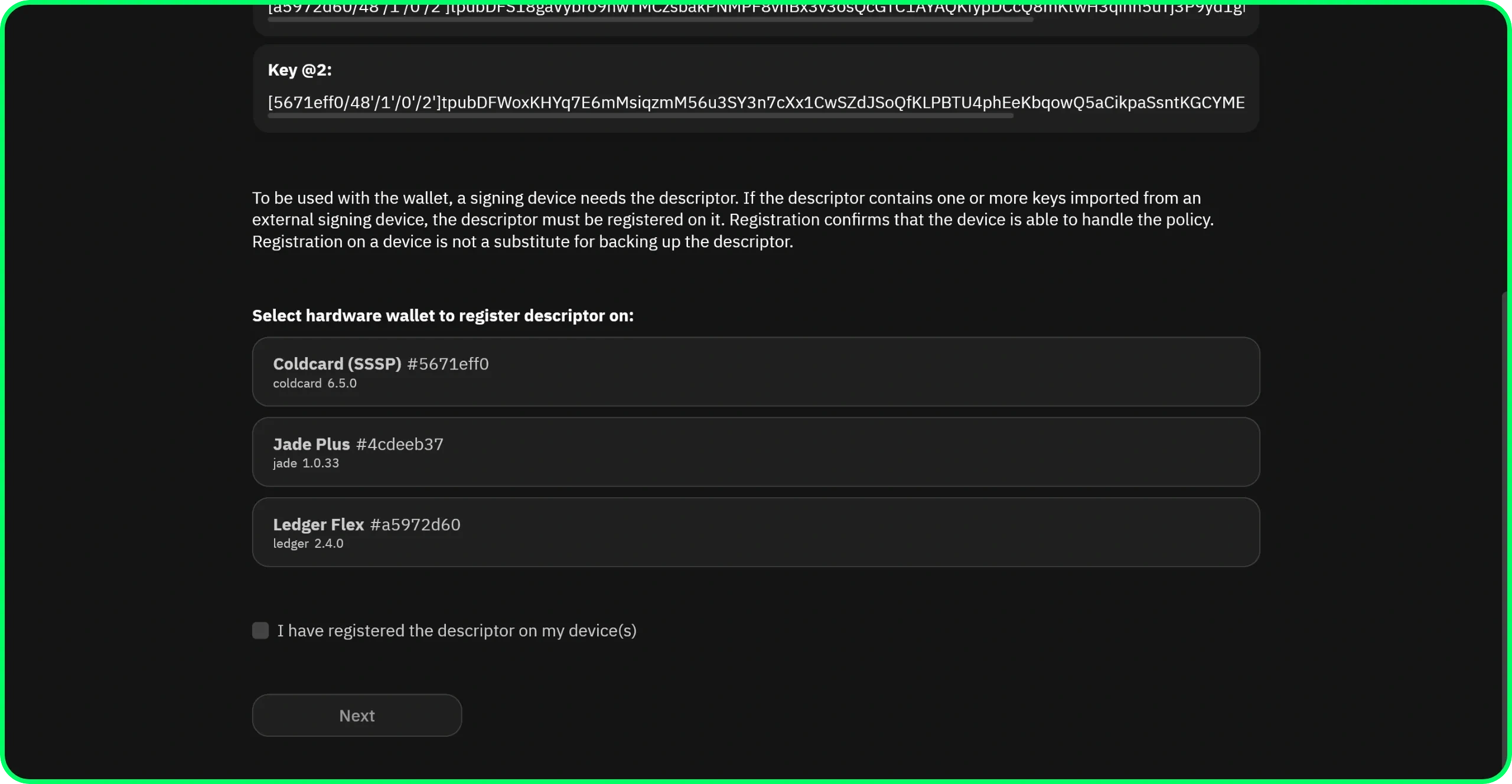
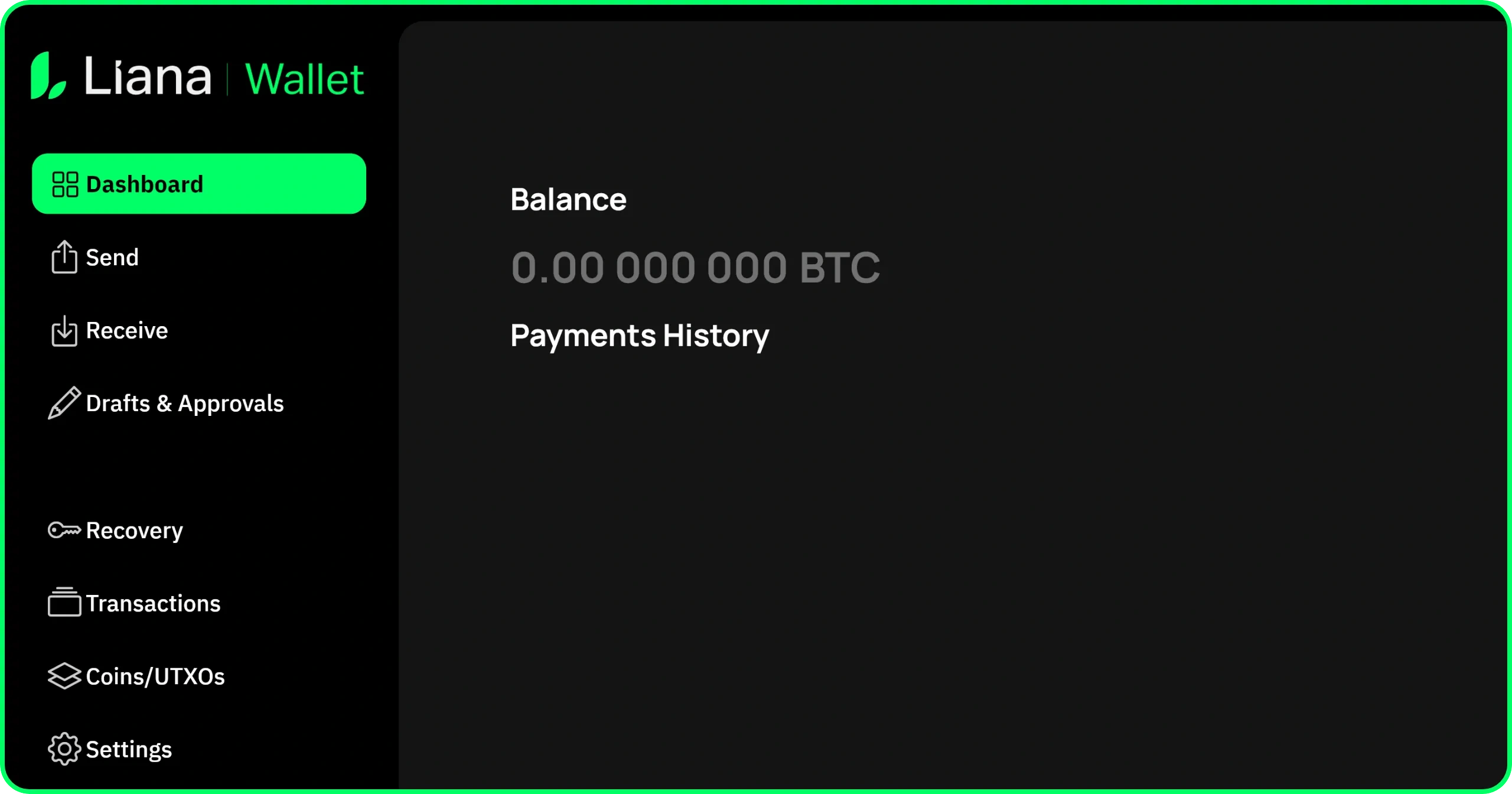
Then follow the usual steps for creating a wallet in Liana: choose your node, name the wallet, and you’ll arrive at your wallet’s home interface.
Step 5. Create the Policy Unlock PIN on the Coldcard
On the Coldcard, go to Advanced/Tools > Spending Policy > Single-Signer.
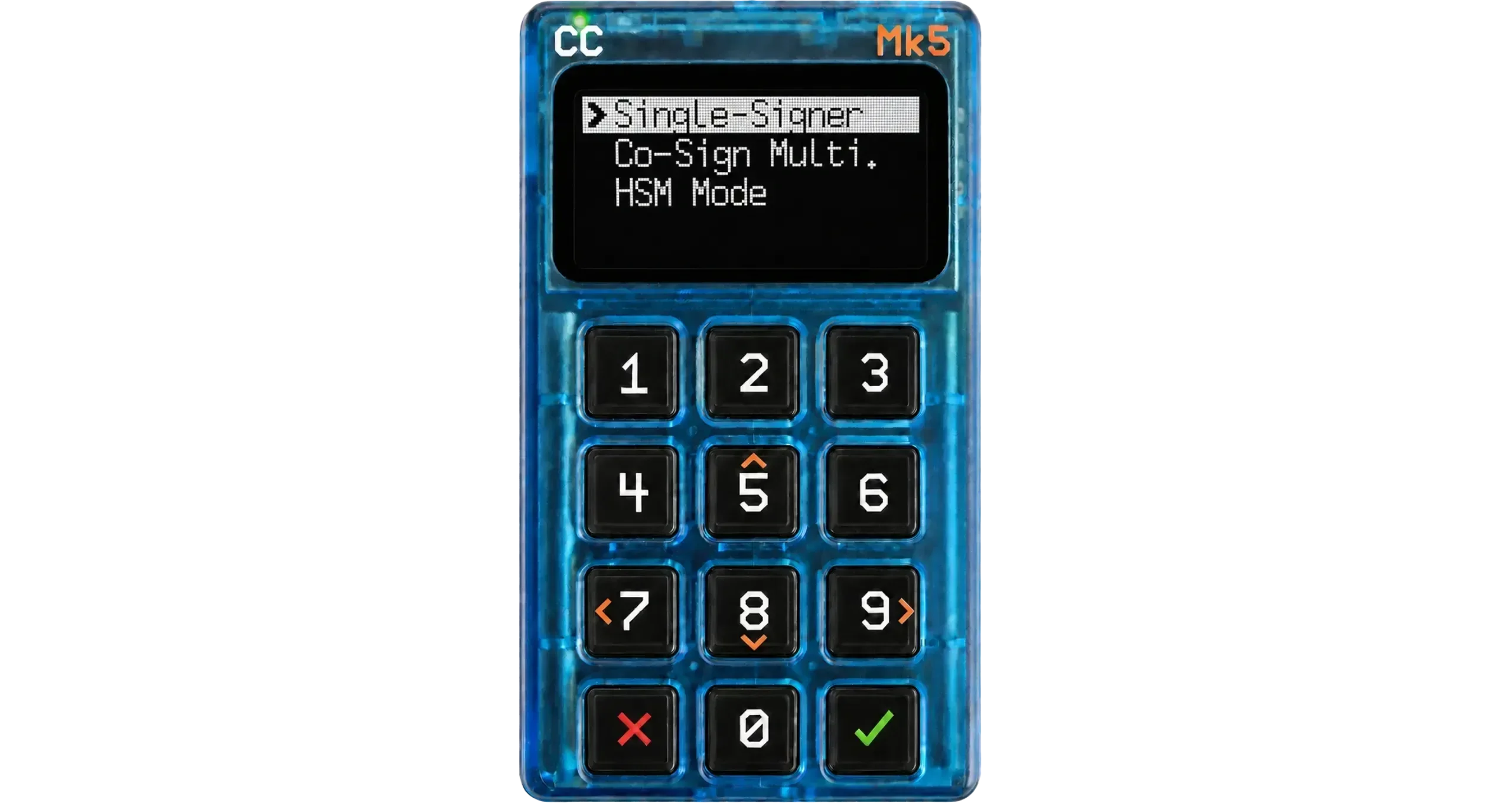
Read the information screen, then create your “Policy Unlock PIN”. In our specific example, we want the Coldcard to be a “Refresh-only” key. The goal is to completely block the possibility of it becoming a normal signer again in the setup, capable of signing transactions with outputs to external addresses. And this Policy Unlock PIN is precisely what makes that possible. We are therefore going to delete it afterwards, so that there is no way to disable the Coldcard’s Spending Policies.
This means that this PIN doesn’t matter in our specific case. You can simply enter 0000-0000 to make the configuration easier. In any case, it will no longer work from the next step onward.
This code is split into 2 parts: the prefix and the suffix. Enter the first digits of your PIN code.
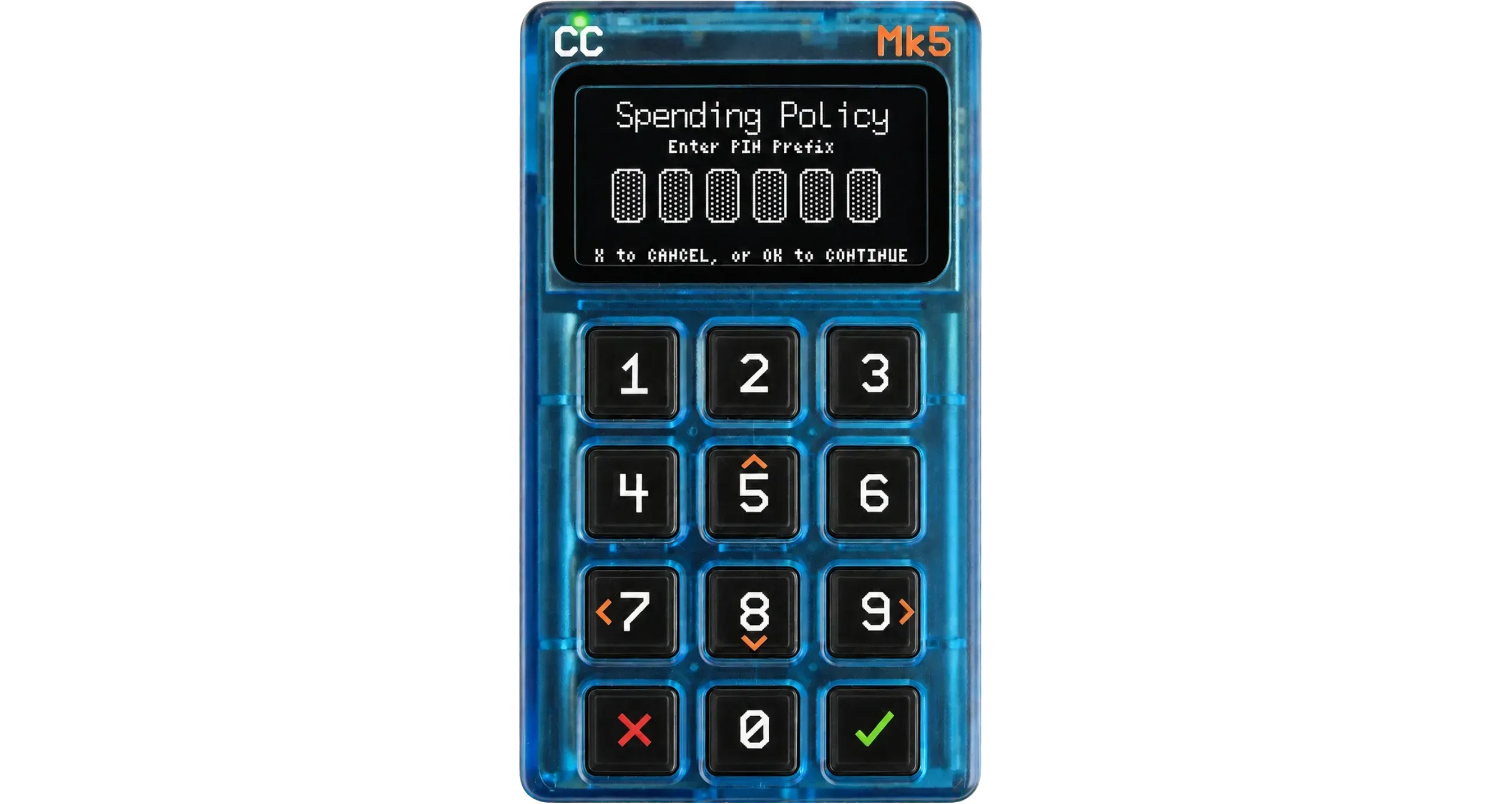
This PIN code has nothing to do with the main PIN code that unlocks your Coldcard. The latter remains unchanged and keeps working normally.
You also don’t need to write down the 2 anti-phishing words associated with this code, since it is going to be deleted.
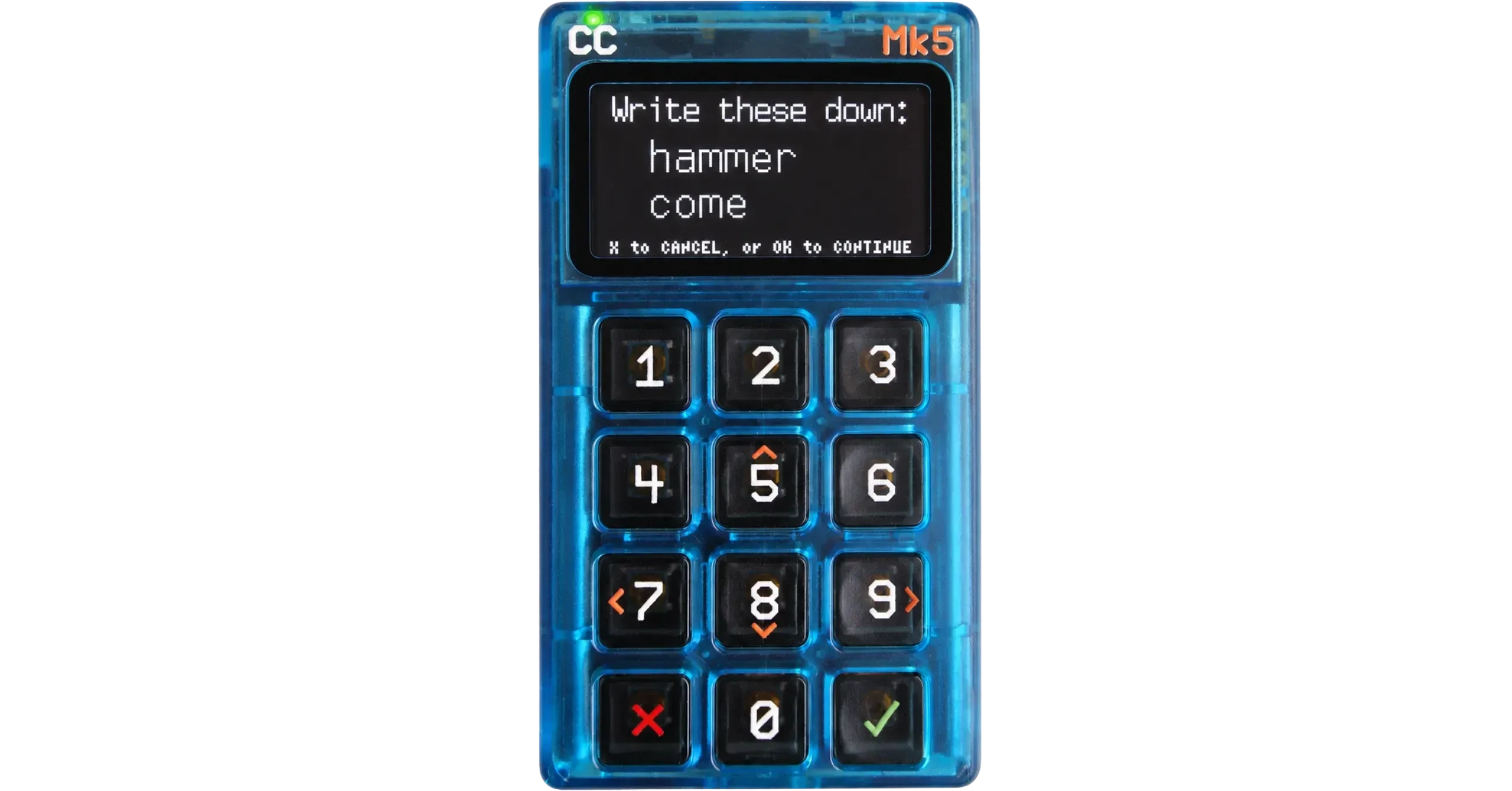
Then write down the rest of your PIN code, and confirm your PIN code a second time.
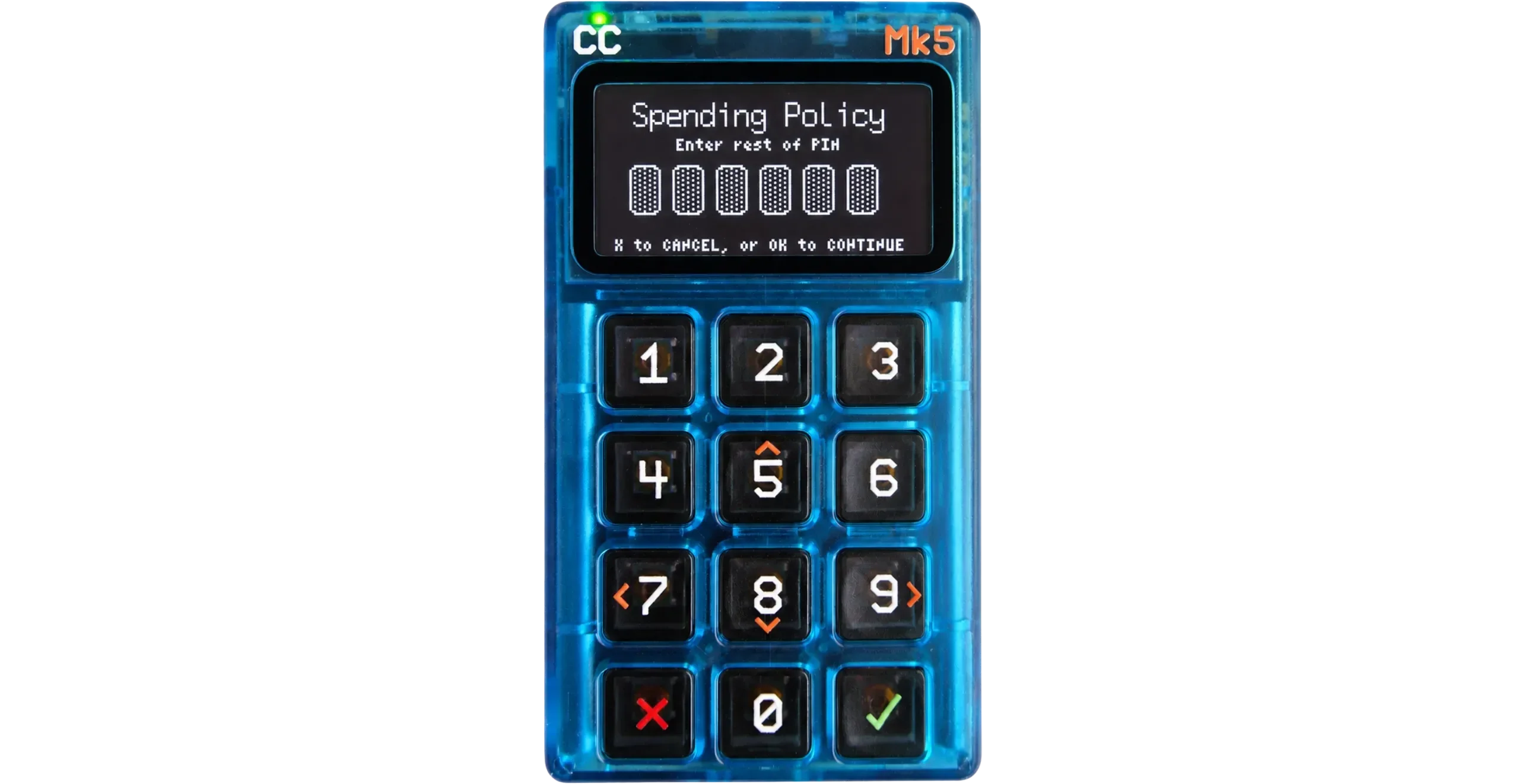
You then arrive at the SSSP option’s home screen.
Step 6. Configure the whitelist so the device can only refresh
Go to the Edit Policy... menu.
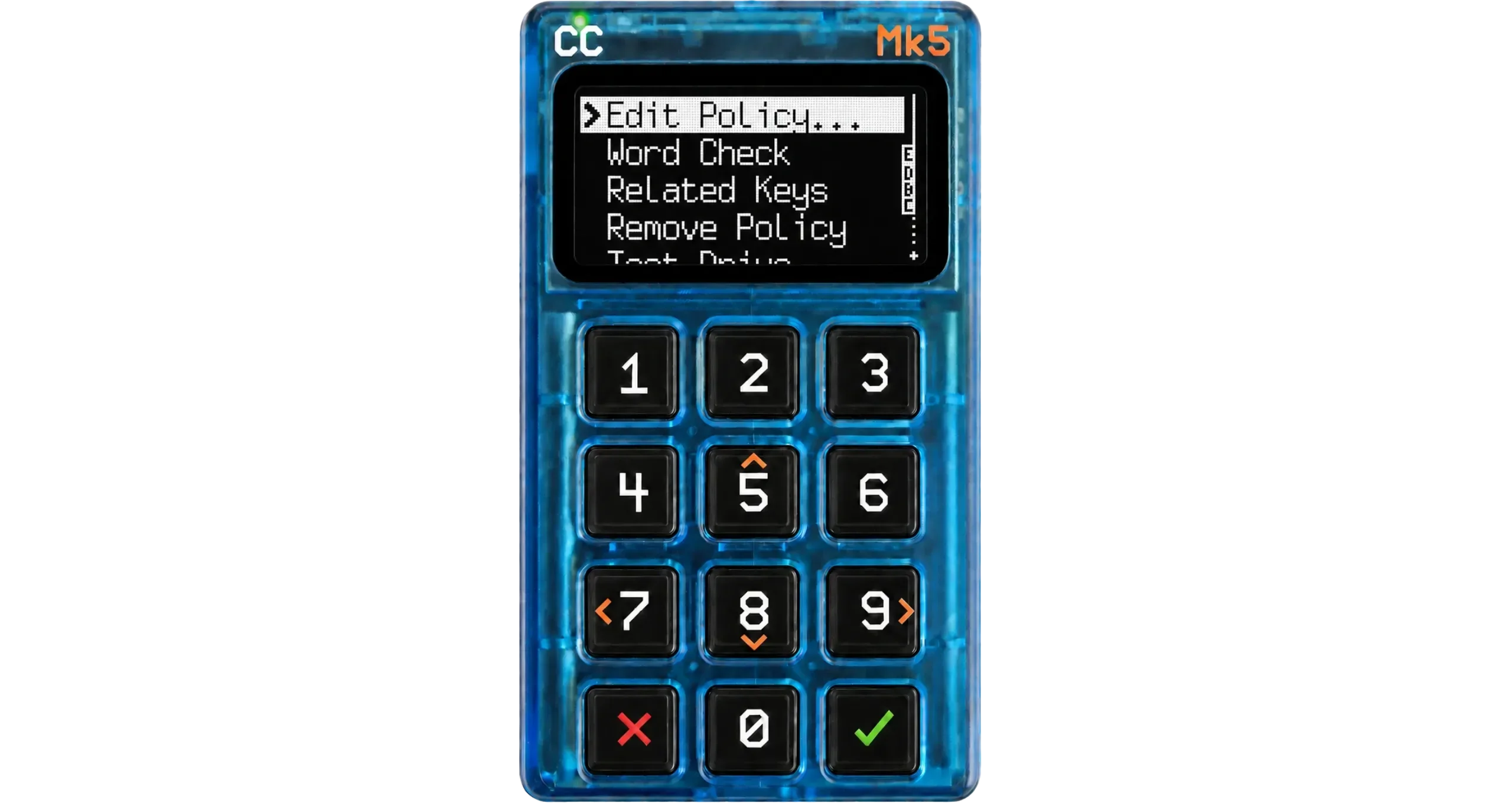
Then click Whitelist.
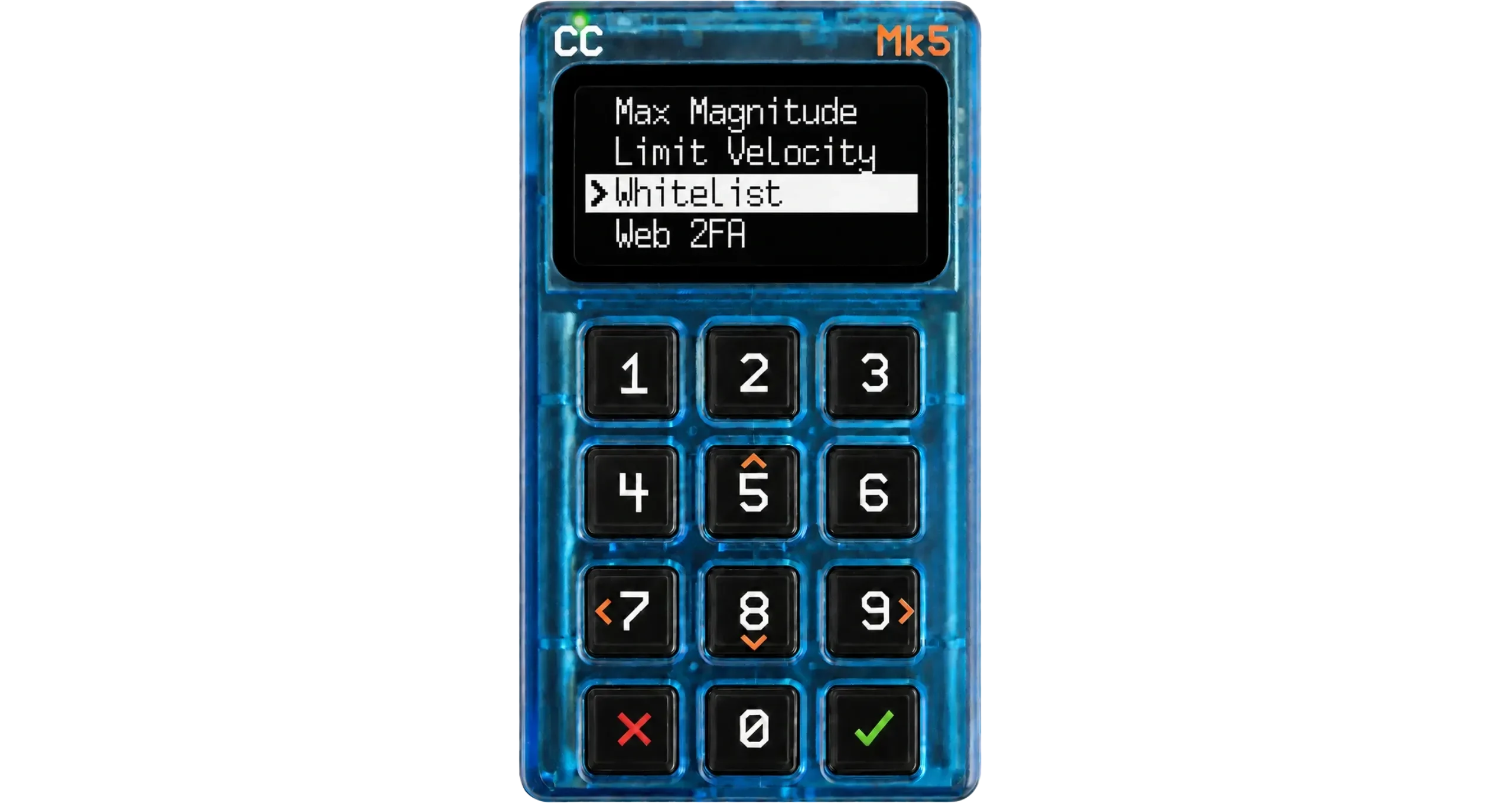
You will now need to add a list of authorized addresses. As we saw in the introduction, this only concerns external addresses, because the wallet’s internal addresses are always accepted despite the configured whitelisting policy.
To do so, simply create an empty text file whitelist.txt on your computer. On the first line, we are going to enter an address in order to satisfy the Coldcard. But since we want the Coldcard to be unable to spend to any external address, the only address we are going to enter will be an address of our own wallet (this way, there is no longer any risk).
Go to your Liana wallet, click the Receive menu, then the + Generate address button. Liana then shows you a receive address belonging to you: this is the one we are going to use for the whitelist. Copy it.
For even more security, remember to verify this address on your hardware wallet.
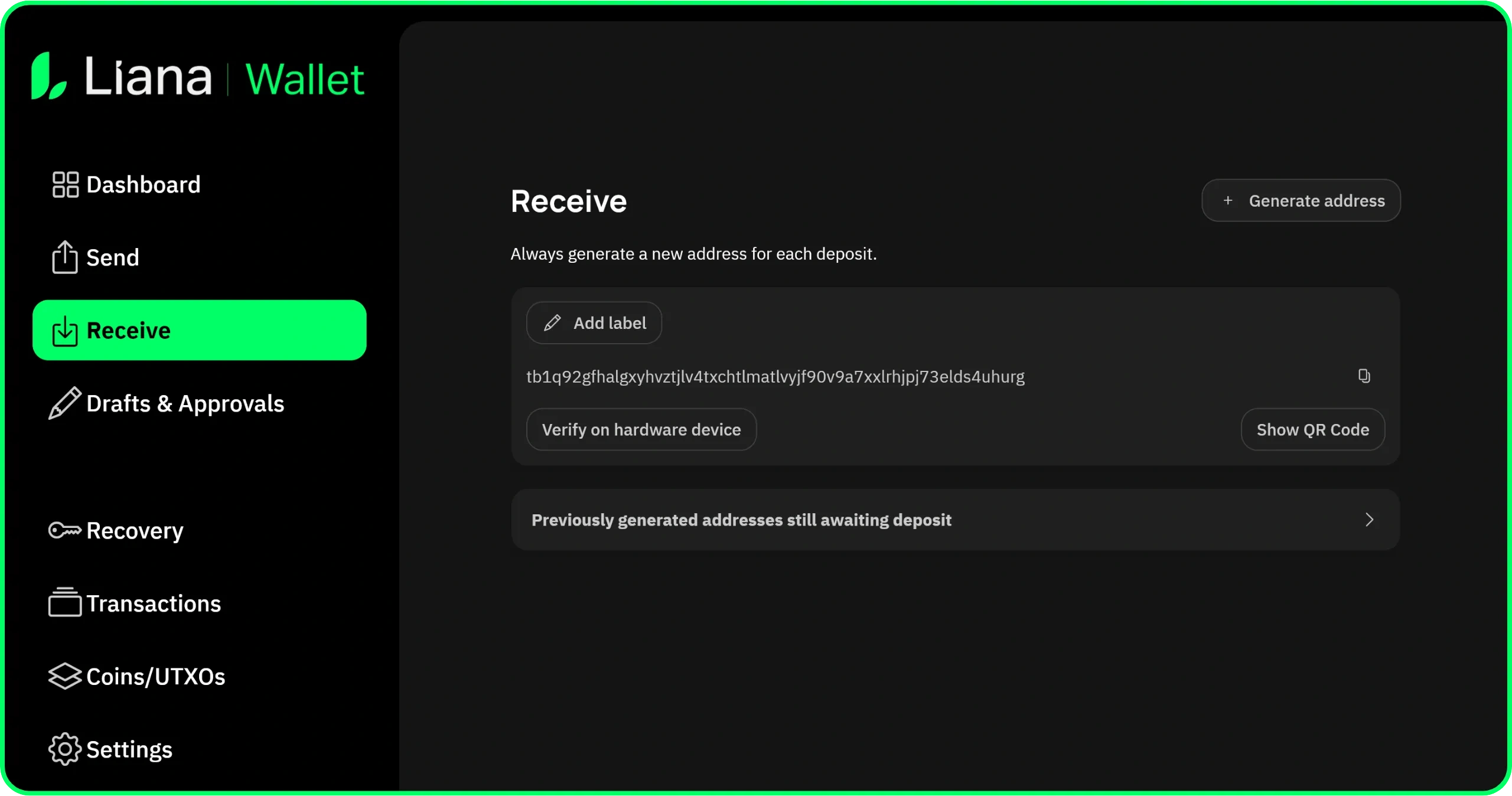
Paste it directly on the first line of your whitelist.txt file, then place this file on a microSD card that you will insert into the Coldcard.
Back on the Coldcard, click the Import from File menu, then select the whitelist.txt file.
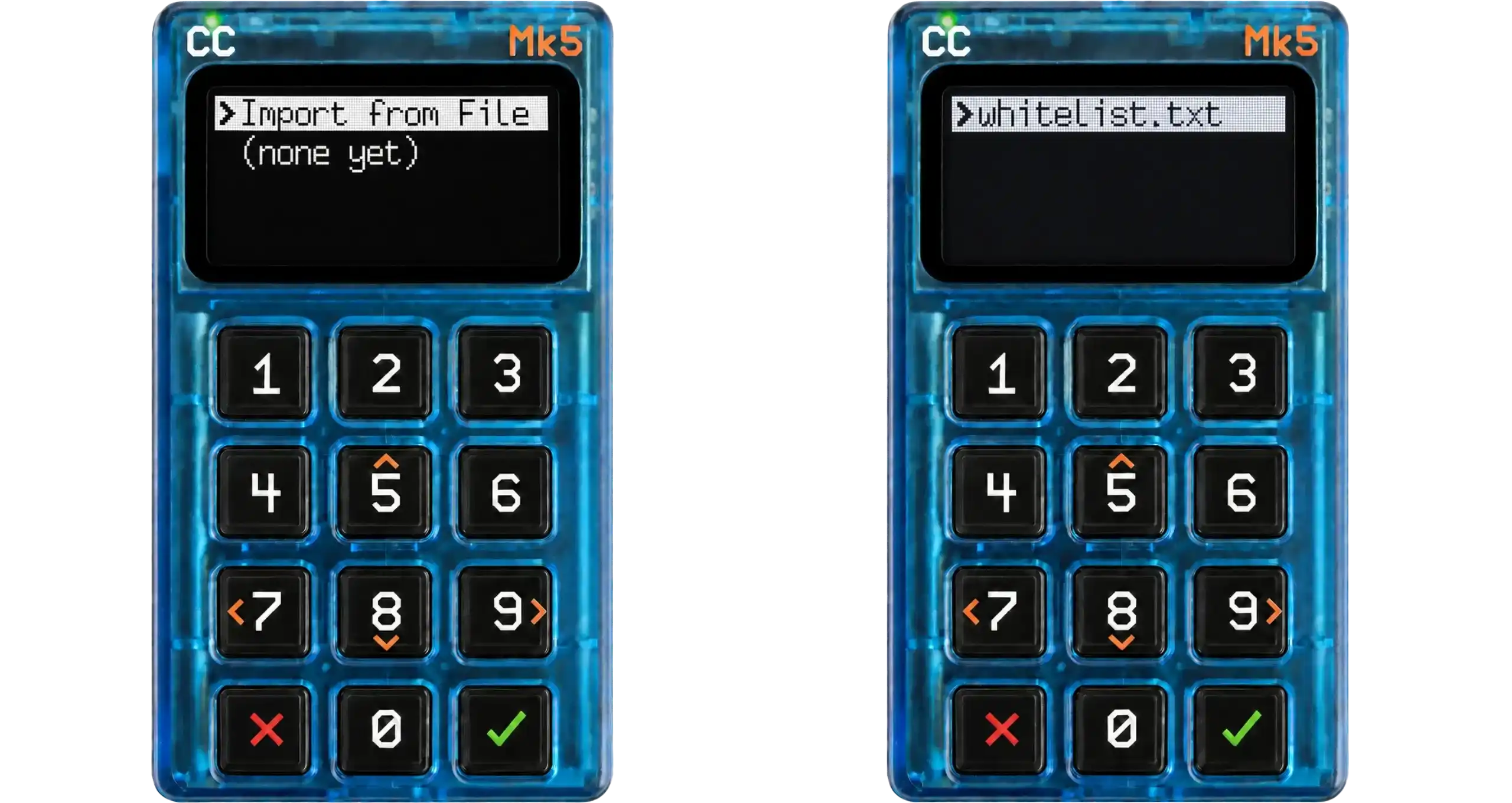
Your address has been successfully added to the whitelist.
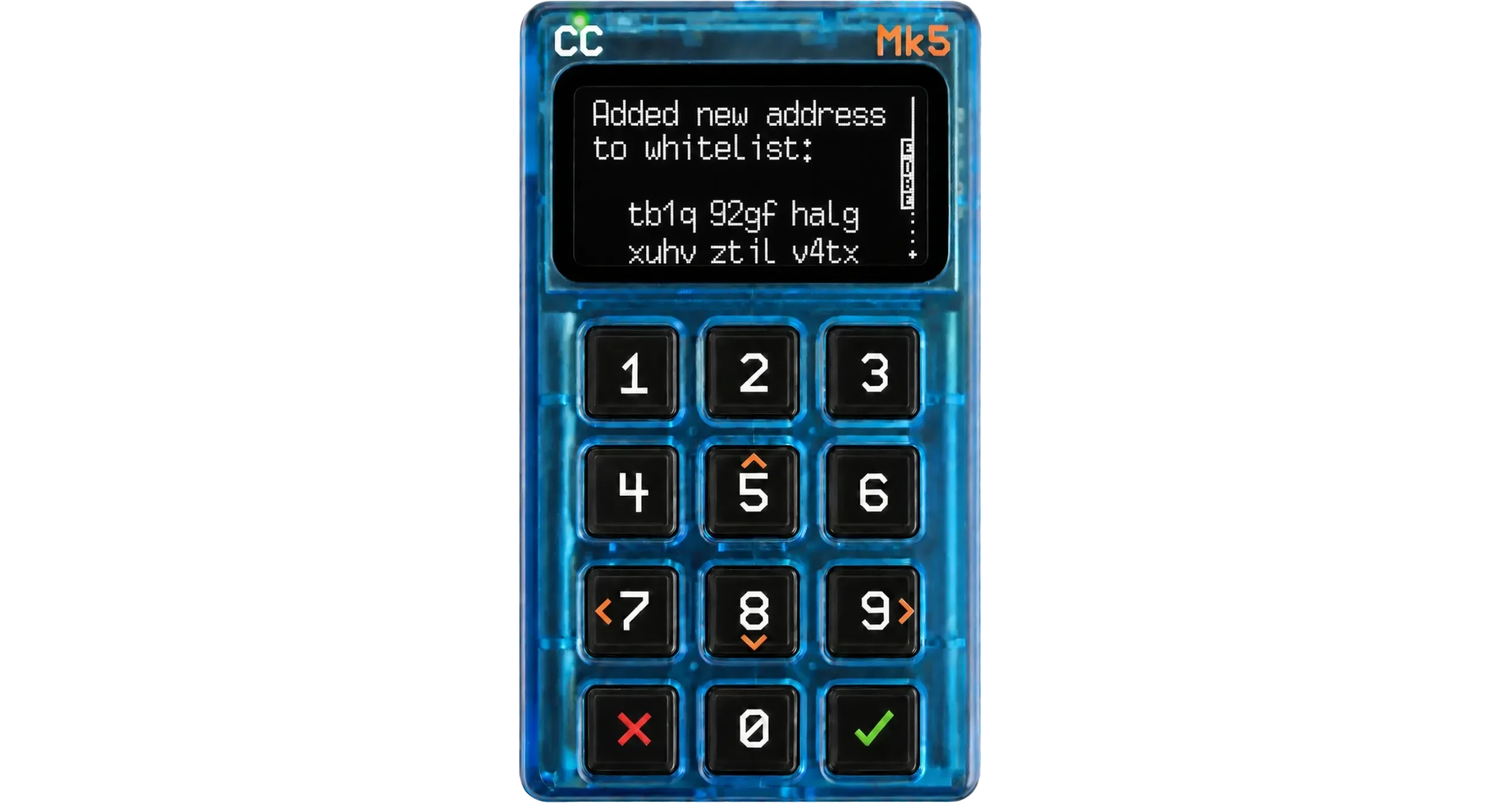
Step 7. Deleting the Policy Unlock PIN
Now that the policy is properly configured, we can delete the Policy Unlock PIN, because we want our Coldcard to stay locked in this mode no matter what happens. To do so, go to the Settings > Login Settings > Trick PINS menu.
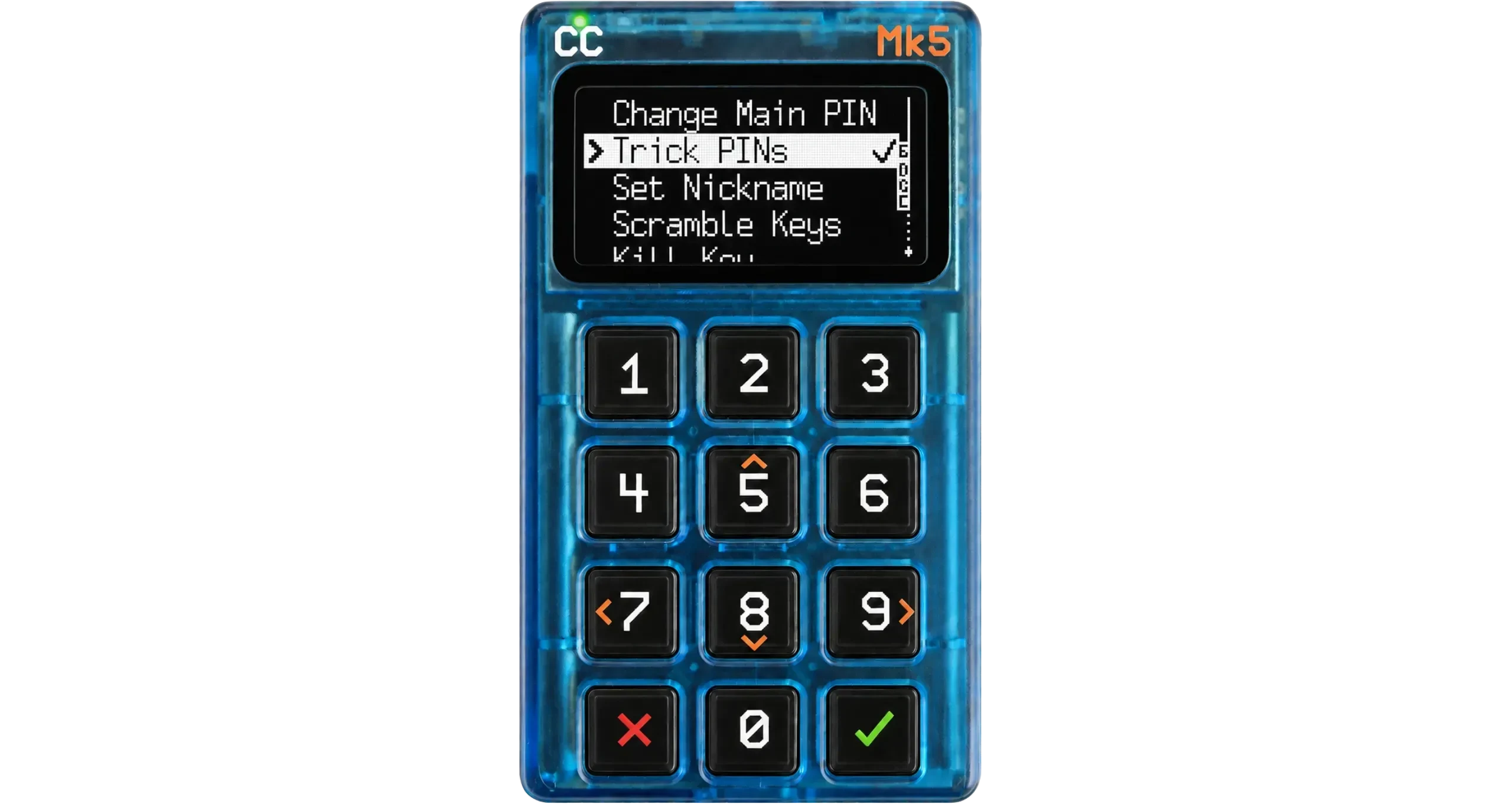
Here you will see the Policy Unlock PIN you chose in step 5. Click it, then select the Delete Trick option. An information page appears, you can confirm.
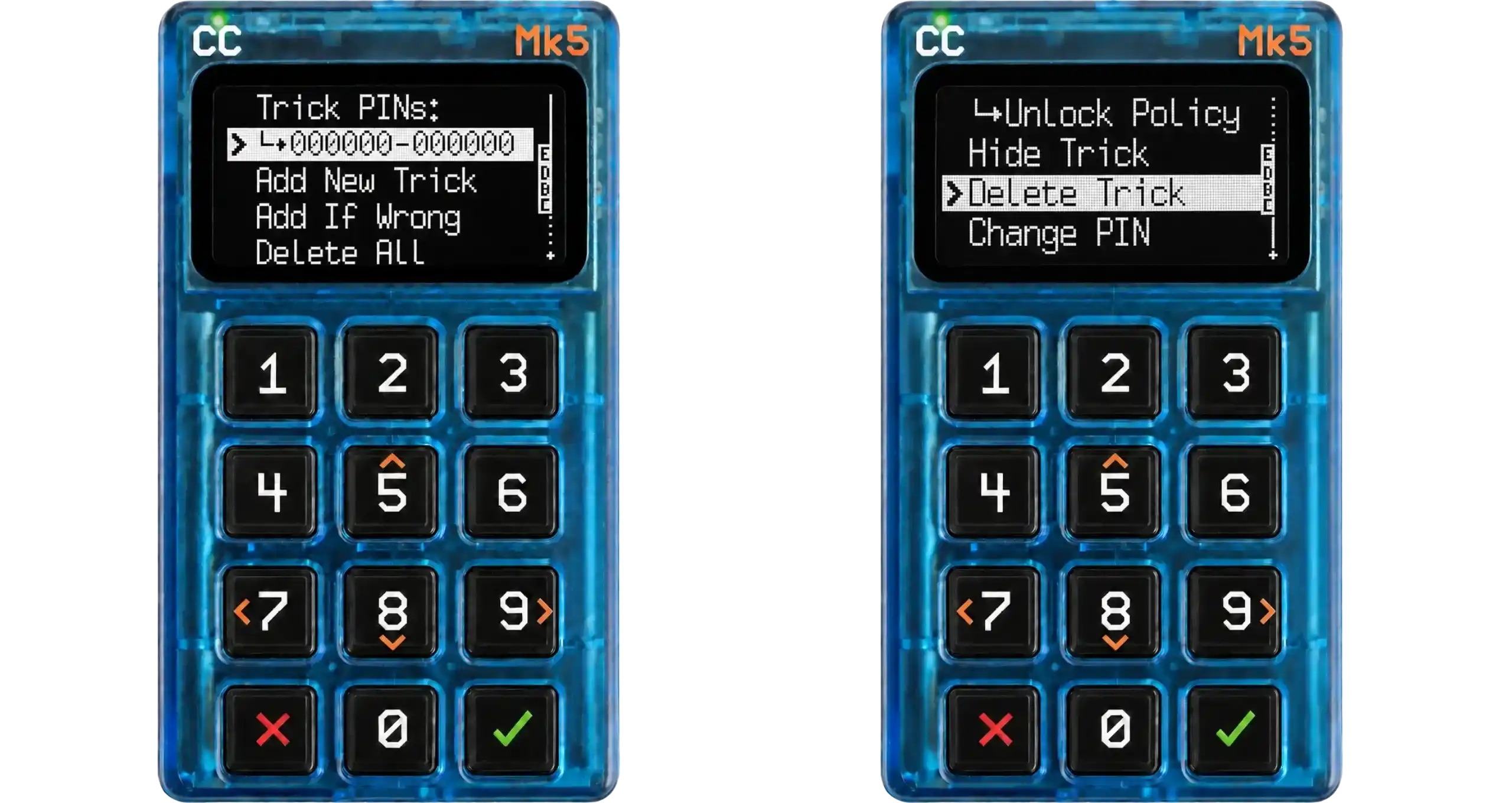
Step 8. Test Drive, then activation
From the Advanced/Tools > Spending Policy > Single Signer menu, launch a Test Drive. This applies the policy for real while still letting you exit it afterwards.
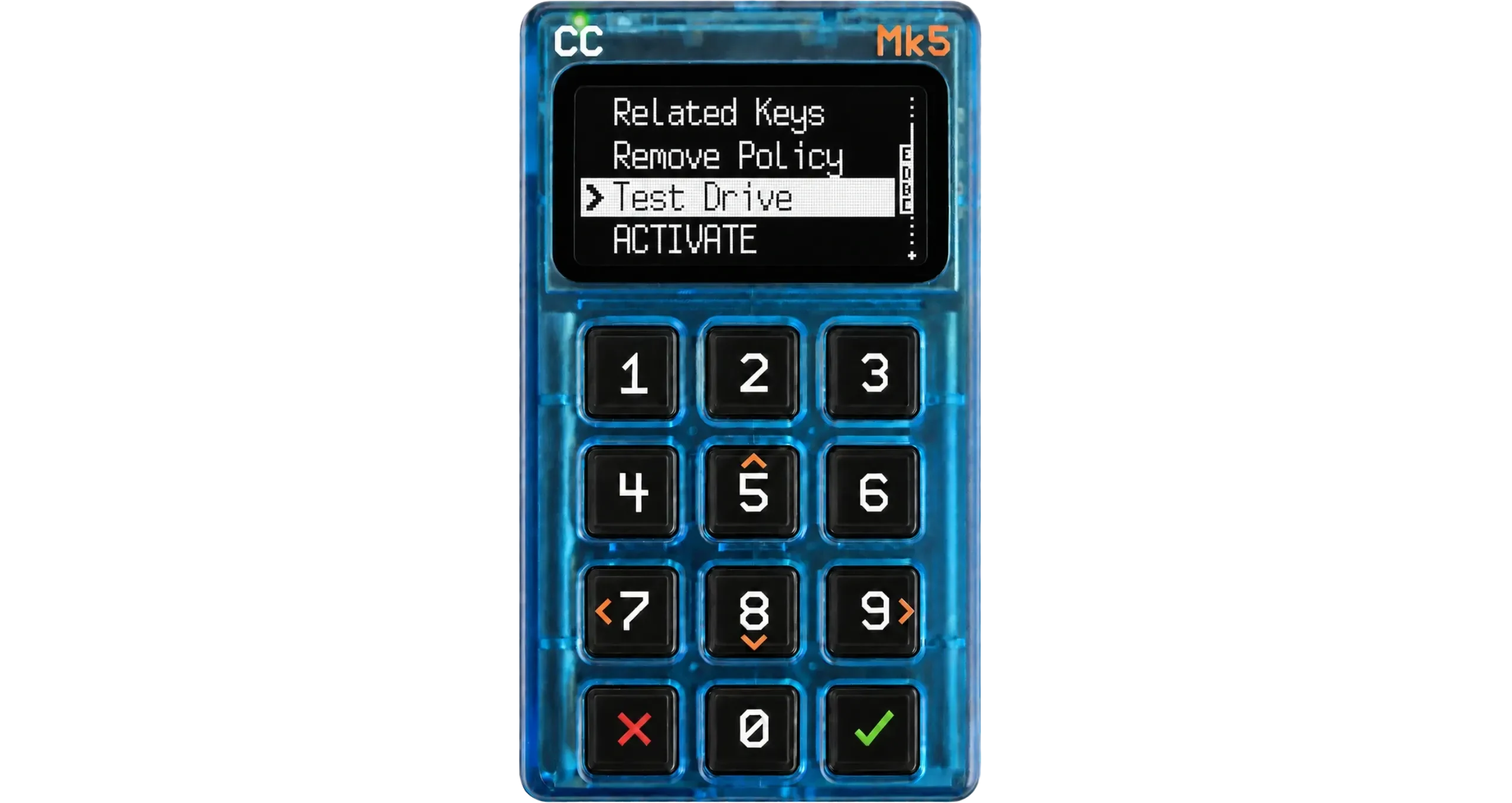
Now check two things:
- A timelock refresh PSBT from Liana, which sends your coins back to you, is signed by the Coldcard without being blocked.
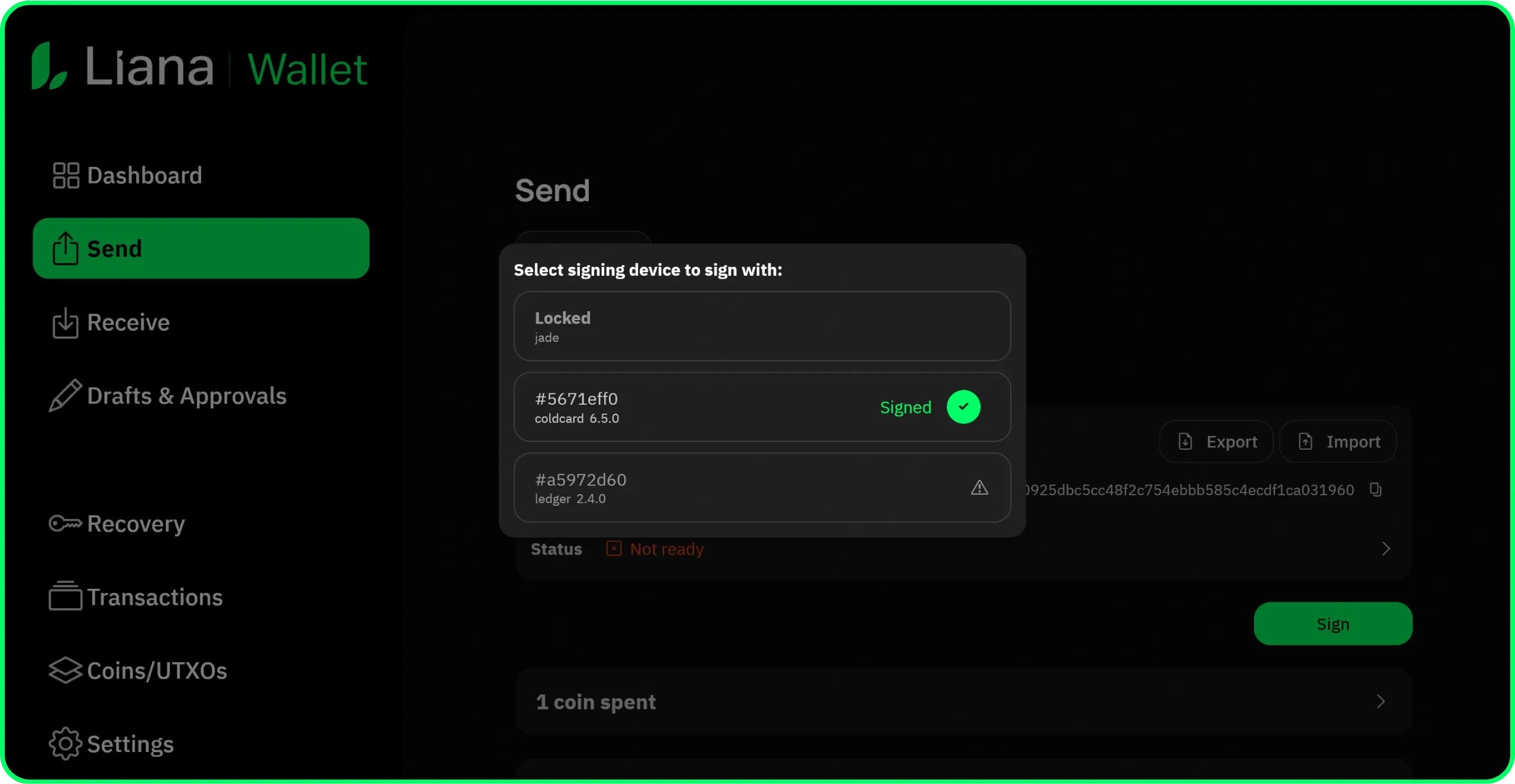
- A regular payment PSBT to an outbound address is refused by the Coldcard.
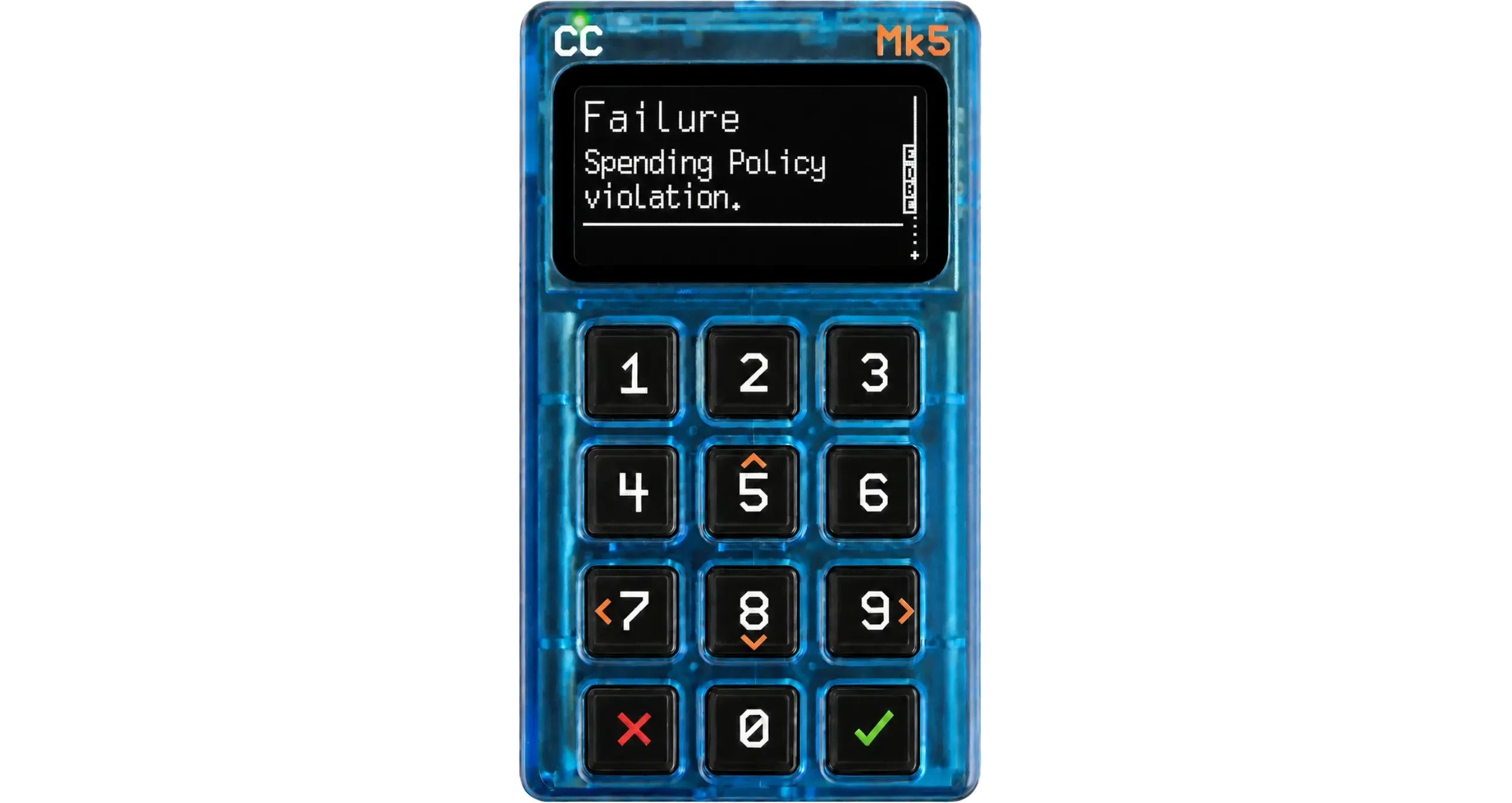
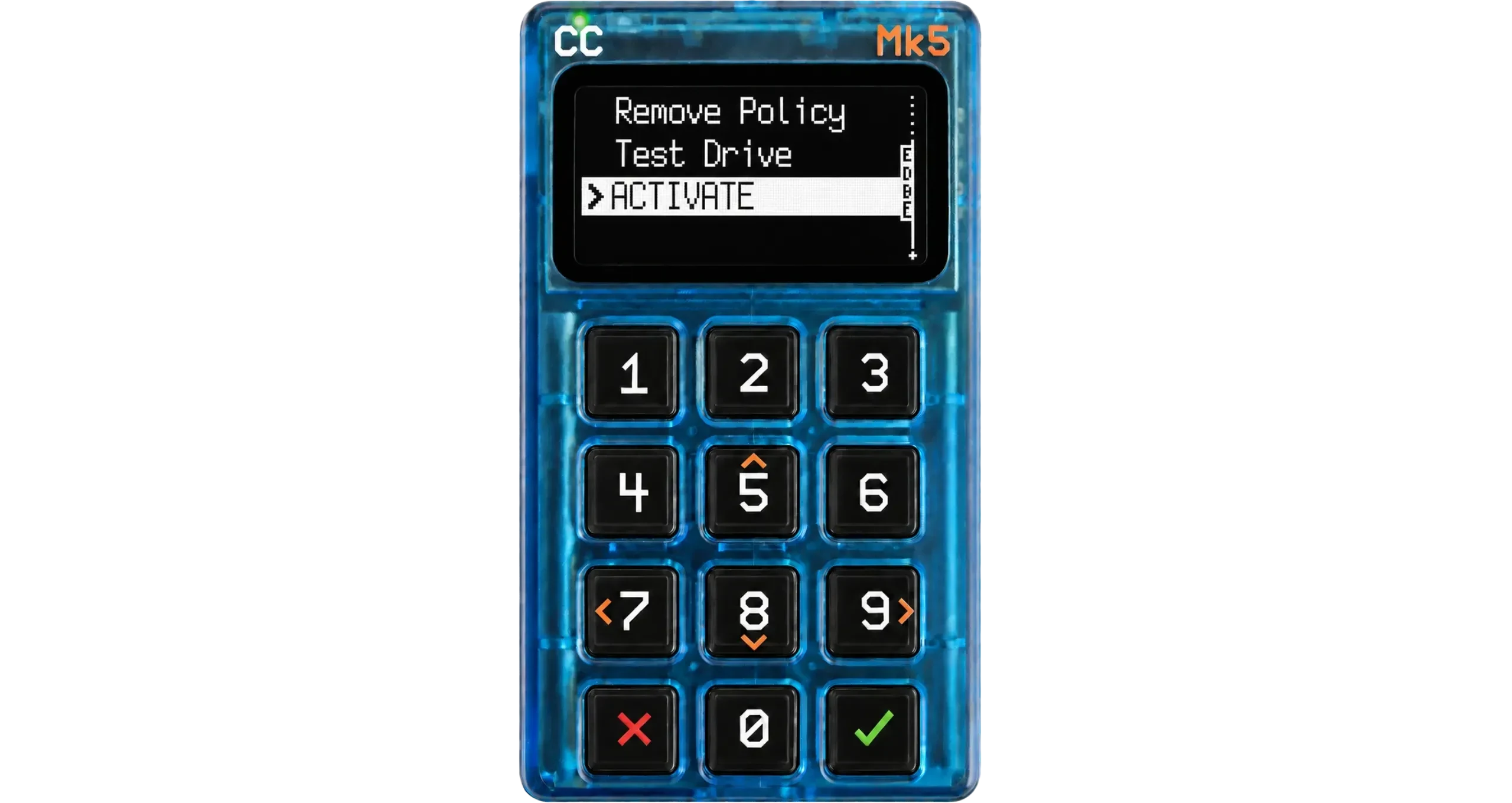
If both behave as expected, exit Test Drive and select ACTIVATE in the Advanced/Tools > Spending Policy > Single Signer menu. The Coldcard immediately switches to the reduced menu and starts enforcing the policy. Restarting and entering your main PIN will not disable it.
Living with this setup
As the timelock deadline approaches, build a refresh in Liana, sign with the Jade Plus (key A, unrestricted) and with the Coldcard (key C, which signs because every output goes back to your wallet). With these two signatures, the primary path script is satisfied, and the timelocks are reset. You did it on your own, at home, and at no point did you hold the ability to move funds out of the wallet.
To move bitcoins out of the wallet, you need key B. Build the PSBT, sign with the Jade Plus at home, and obtain the second signature from the geo-distributed Ledger Flex. The outbound spend deliberately requires the remote location, which is exactly the barrier you wanted.
If one of the two locations runs into a problem (you lose a hardware wallet, the storage location catches fire…), wait for the recovery timelock to mature and sweep the wallet with the single key that survived. Key B alone if you lost your home hardware wallet, key A alone if you lost the remote location one.
Resources
- Download Liana: lianawallet.com.
- Coldcard SSSP documentation: coldcard.com/docs/sssp
- Test your setup risk-free on Signet: Mastering Liana: Why Signet Is the Best Place to Start
TL;DR
- Liana requires regular timelock refreshes to keep recovery paths dormant, and until now refreshing them required access to a key that was also able to spend.
- Whitelisting via SSSP enforces a spending policy on the Coldcard that lets you use it as a “refresh-only” key, able to sign only internal transactions (and therefore to refresh the timelocks) but never to spend the funds to an external address.
- For example, you could create a 2-of-3 with the Coldcard in SSSP mode kept at home, another hardware wallet at home and a last one abroad. You refresh freely at home, but can only move funds out by involving the remote key, which protects against burglary and coercion at home for a long-term cold savings wallet.
- A 1-of-3 recovery path after a long timelock ensures that losing one of the locations does not prevent you from recovering the funds.